
 Skip to content
€79,00 Original price was: €79,00.€49,00Current price is: €49,00.
Digitally delivered by email within a few minutes after payment confirmation. These are ESD digital licenses — all product keys are original and have no expiration date. They can be reinstalled on the same activated device at any time.
By purchasing this product, you will receive the digital software download from our servers along with the product key needed for software activation, as well as detailed installation instructions.
License previously used and relinquished by the former owner in compliance with CJEU ruling C-128/2011 :
100% authentic digital products with official vendor warranties, ensuring genuine licenses.
Enjoy peace of mind with a 30-day return policy on all digital products. Full refunds or exchanges for any issues.
Your payments are fully secure with our encrypted transaction network. Shop with confidence.
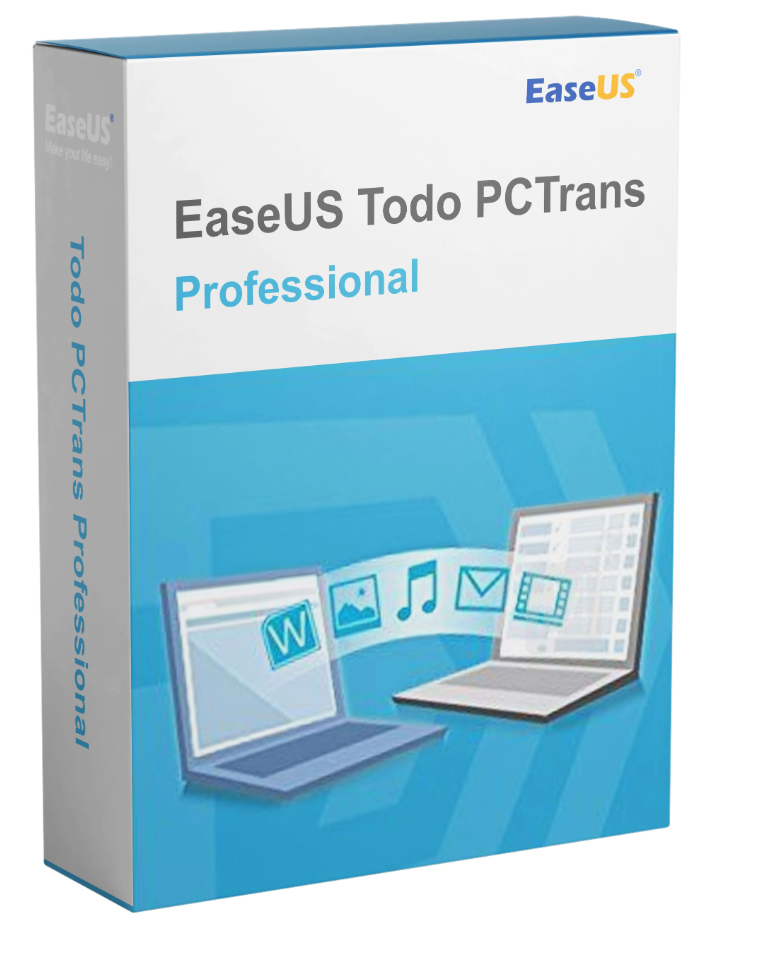
Have you bought a new computer and want to easily transfer your data, programs, and settings from your old PC? Then EaseUS Todo PCTrans Pro 14 is the perfect solution for you! EaseUS Todo PCTrans Pro 14 is a professional software solution from EaseUS, specifically designed to facilitate the migration of files, programs, and settings to a new PC or system. The software allows you to transfer all your important data and programs without data loss, while preserving your user accounts, passwords, and settings.
| Advantages of EaseUS Todo PCTrans Pro 14 | |
| Automatic transfer | Automatically transfers programs, documents, music, images, videos, and more from one computer to another. |
| User accounts and settings | Migrate not only your files, but also your accounts, passwords, and personalizations so that your new computer looks just like your old one. |
| Supports all versions of Windows | The software works with all versions of Windows, including Windows 11. |
| Fast transfer of large files | Thanks to the high speed of EaseUS Todo PCTrans, large files and data volumes can be transferred quickly and securely. |
| Data backup and protection | Create a complete backup of your entire computer to protect it from ransomware and other disasters. |
EaseUS Todo PCTrans Pro 14 is incredibly easy to use and enables seamless migration. Here’s how the process works:
With this software, you can easily migrate important programs and files to your new PC. This includes common programs like MS Office (Word, Excel, Outlook, etc.) as well as personal data such as music, videos, and emails. The software automatically recognizes all relevant data and ensures that no data is lost.
A unique feature of EaseUS Todo PCTrans Pro 14 is the ability to migrate user accounts, passwords, and other settings. This ensures your new PC functions exactly like your old one, eliminating the need to manually configure all programs and settings.
The software offers very fast transfer speeds, allowing you to migrate large amounts of data without any problems. This is done via a wired connection and is up to 10 times faster than traditional methods.
EaseUS Todo PCTrans Pro 14 not only ensures your data is transferred securely, but also allows you to create a complete backup of your computer. This way, your data is protected against virus attacks and other unexpected problems.
With EaseUS Todo PCTrans Pro 14, you can not only migrate your data, but also create a complete copy of your entire system. This backup can be saved anywhere—on an external drive, in the cloud, or on a network drive. In the event of a system failure, you can restore your data at any time.
Another useful feature is the ability to delete unnecessary system files that take up space on your computer. This allows you to not only optimize data transfer but also improve your system’s overall performance.
If your computer won’t start but still contains important data, EaseUS Todo PCTrans Pro 14 can recover it. Simply remove the hard drive from the faulty computer, connect it to a working computer, and transfer all the data you need to the new one.
New features in EaseUS Todo PCTrans Pro 14.1.0 |
|
|
|
|
|
Whether you’re upgrading to a new PC or simply want to back up your data, EaseUS Todo PCTrans Pro 14 offers a fast, secure, and easy-to-use solution. The software not only allows you to easily transfer files and programs, but it also ensures your new PC functions exactly like your old one. With this software, you can perform the entire migration without data loss and optimize your system to suit your needs.
| Windows XP 32-bit |
| Windows Vista 32-bit and 64-bit |
| Windows 7 32-bit and 64-bit |
| Windows 8/8.1 32-bit and 64-bit |
| Windows Server 2003 |
| Windows Server 2008 |
| Windows Server 2012 |
| Windows 11/10 |
The operating system on the new PC must be the same version or a later version. For example, it is not possible to transfer applications from Windows 7 to Windows XP. Todo PCTrans supports the following migrations:
| Transfer from 32-bit to 64-bit |
| Migrating from Windows 10 to Windows 11 |
| Migrating from Windows 8.1 to Windows 8.1/10 |
| Migrating from Windows 8 to Windows 8/8.1/10 |
| Migrating from Windows 7 to Windows 7/8/8.1/10 |
| Migrating from Windows XP to Windows XP/Vista/7/8/8.1/10 |
| Migrate from Windows Vista to Windows Vista/7/8/8.1/10 |
Reviews
There are no reviews yet.