
 Skip to content
€379,00 Original price was: €379,00.€249,00Current price is: €249,00.
Digitally delivered by email within a few minutes after payment confirmation. These are ESD digital licenses — all product keys are original and have no expiration date. They can be reinstalled on the same activated device at any time.
By purchasing this product, you will receive the digital software download from our servers along with the product key needed for software activation, as well as detailed installation instructions.
License previously used and relinquished by the former owner in compliance with CJEU ruling C-128/2011 :
100% authentic digital products with official vendor warranties, ensuring genuine licenses.
Enjoy peace of mind with a 30-day return policy on all digital products. Full refunds or exchanges for any issues.
Your payments are fully secure with our encrypted transaction network. Shop with confidence.
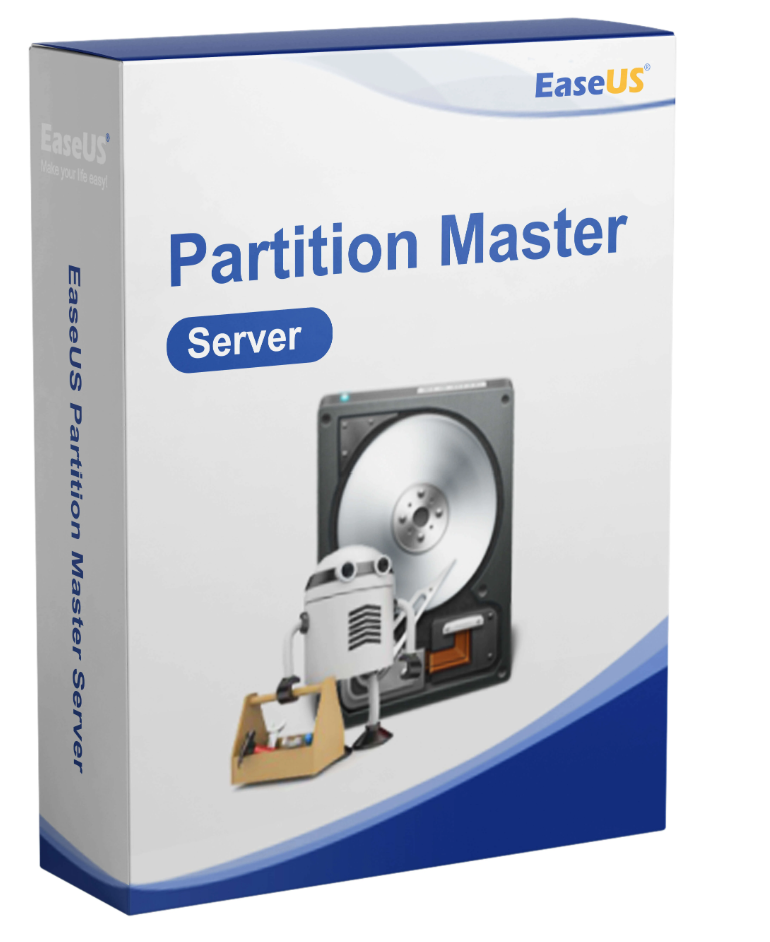
Working with different partitions is standard practice, especially in server environments. It’s essential, for example, for setting up virtual machines. But individual computers also commonly use different partitions. In offices, personal and professional data are often separated and backed up this way. However, using partitions can be risky. Data loss due to system crashes or slow computers are just two examples. For such situations, users should consider purchasing EaseUS Partition Master Server. This software solution was specifically designed to meet the needs of home users, freelancers, and small and medium-sized businesses.
An EaseUS Partition Master Server license is for a single system, such as a physical server. It does not expire but remains valid indefinitely. Simply put, users who purchase EaseUS Partition Master Server can use the software forever. The only requirement is that the system must use a version of Windows as its operating system. It is not compatible with other platforms.
Optimize your hard drive management with EaseUS Partition Master Server 18 – the ultimate solution for all your partitioning needs. This professional version offers a wide range of features that allow you to improve the performance of your server or PC without having to perform tedious new installations.
1. Migrate OS to HDD/SSD: This feature lets you effortlessly transfer your operating system from a hard drive to an SSD or another hard drive without reinstalling Windows. This not only saves time but also significantly improves performance.
2. Clone Hard Drive: Easily create copies of your hard drives to securely back up your data or transfer it to new drives. This feature is especially useful when upgrading to larger hard drives or switching to SSDs.
3. Recover Partition: Lost or deleted partitions can be a disaster. With EaseUS Partition Master Server 18, you can restore lost partitions and recover valuable data.
4. WinPE Creator: Create a bootable WinPE-based rescue disk to address system problems and perform important tasks, even if your operating system fails to boot.
When it comes to managing hard drives in professional environments, the Enterprise version of EaseUS Partition Master Server 18 is the ideal choice. This version offers additional security and features to meet the specific needs of businesses and service providers.
With Partition Master Server 18, users can easily manage all system partitions. This includes copying, merging, creating, and moving partitions. Furthermore, this software solution allows users to resize individual partitions. Users can also hide or delete unused portions of the hard drive. Cloning hard drives and individual partitions is also possible, enabling data transfer without loss during hard drive upgrades, for example.
One of the main functions of EaseUS Partition Master Server is data and partition recovery. Users working with this software can, for example, recover lost hard drive partitions. If a system crash occurs while modifying a partition, the program automatically restores the partitions to their state before the crash. Data on partitions that would otherwise be lost is also recovered in this way.
Users who purchase EaseUS Partition Master Server can also use the software to optimize existing partitions. This is especially useful when the existing configuration becomes very slow. It’s not uncommon for system applications to require data from different partitions to function properly. Often, the various sub-partitions aren’t used efficiently. Here again, optimization with the software can remedy this situation.
On a daily basis, it’s often necessary to format partitions. This might be the case, for example, at the end of a project or when a system is handed over to a new employee. If users perform this process manually, data often remains. Users who purchase Partition Master Server 18 don’t have this kind of problem. All partitions are formatted cleanly and are ready for future use. A nice side effect of this feature is that formatting makes it easy to determine, for example, if a system error is caused by a specific partition.
In small and medium-sized businesses, systems need to be migrated to new hardware at regular intervals. This should typically happen every three to five years. A smooth transfer isn’t always easy, especially when, for example, operating systems need to be moved from a hard drive to an SSD. Partition Master Server 18 handles this task and allows employees to quickly become active with the new hardware.
Reviews
There are no reviews yet.