 Skip to content

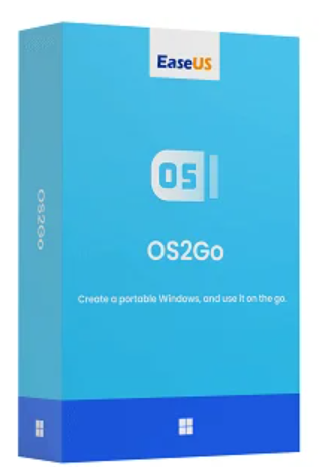
✔ Windows 10/11 directly onto a USB drive and use it anywhere
✔ Create a bootable USB drive to launch Windows on a Mac
✔ Create a complete “Windows-To-Go” system in just a few steps

Are you often on the go and need reliable access to your familiar Windows work environment at all times, whether for work or pleasure? With EaseUS OS2GO, you have a powerful solution that allows you to transfer your complete and bootable Windows system, including all programs, individual settings, and personal data, to a USB flash drive or external hard drive.
Maximum mobility and flexibility:
EaseUS OS2GO transforms compatible storage devices into a portable Windows system. This allows you to use your personal work environment anytime, anywhere, and on any compatible computer – without having to carry your laptop. Simply insert the USB drive and boot into your usual operating system with all its features.
A reliable emergency solution in case of system failure
. Furthermore, OS2GO offers an effective backup option in case of technical problems. If your PC fails to boot, the pre-created boot disk allows you to start the system, access your data, and perform comprehensive error diagnostics. OS2GO is therefore a valuable tool for data backup, system recovery, and system restoration.
With EaseUS OS2Go Technician , you can install a complete portable Windows system onto a USB drive in minutes. Boot Windows on almost any PC or Mac without modifying your existing system – ideal for professionals, IT service providers, and businesses.
Supports Windows 11, 10, 8 and 7 on desktop and laptop computers. This allows you to use your system flexibly anywhere.
Runs Windows applications also on iMac or MacBook – via a bootable USB drive , created with EaseUS OS2Go.
Your Windows always with you: use your portable system with all programs and settings on any computer.
You can also access Windows from your Mac, without having to install a second operating system.
Set up a boot-ready player in just a few steps – even without prior technical knowledge.
Instead of additional hardware or licenses – a solution that covers everything and is more economical in the long run.
| Function | Professional | Technician |
|---|---|---|
| Bootable USB drive | ✔ | ✔ |
| License type | Individual license | Technician’s License |
| Supports Windows Server | ✘ | ✔ |
| Commercial use | ✘ | ✔ |
Step-by-step guidance – even beginners can use it without any problems.
No limitation to specific devices – almost all USB drives or external hard drives are supported.
Moves from one computer to another and from one system to another without any installation.
With the Technician version, you receive all future updates at no extra cost – an investment that is well worth it.
| Supported operating systems | Windows 11, Windows 10, Windows 8.1, Windows 8, Windows 7 |
| Compatible Devices | PCs & laptops with Intel/AMD processors (Macs only with Intel chips, Apple Silicon not supported) |
| File system | FAT12, FAT16, FAT32, exFAT, NTFS |
| Random Access Memory (RAM) | At least 4 GB |
| Processor (CPU) | Intel Core i3 or higher / AMD Ryzen 3 or higher |
| Platform | Windows, Mac |
|---|


Reviews
There are no reviews yet.