 Skip to content

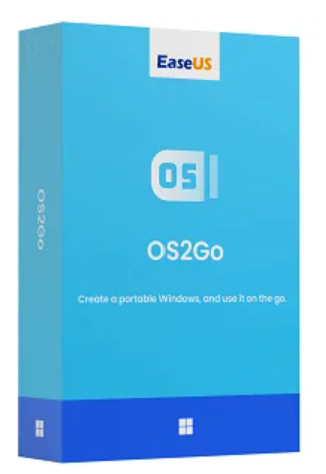

Are you often on the go, for work or pleasure, and need regular access to your familiar Windows environment? Then EaseUS OS2GO is the perfect solution for you. This powerful tool lets you transfer a complete, bootable Windows system directly to a USB flash drive or external hard drive – including all installed programs, settings, and personal data.
With EaseUS OS2GO , you can transform any compatible storage device into a portable Windows hard drive. This gives you your personal system at your fingertips at all times – without having to carry your own laptop. Simply plug the USB drive into any computer and boot into your usual work environment, just as if you were at home or in the office.
OS2GO is not just an alternative to a mobile laptop, but also a valuable rescue tool. If your PC won’t start, you can use the previously created boot disk to restart the system, access your data, or run error diagnostics. Ideal for data backup, system recovery, or system restore.
Supports various Windows systems. Compatible with PCs and laptops running the latest Windows 11, as well as Windows 10/8 and Windows 7.
Create a bootable USB drive for your MacBook using Windows.
If you want to run Windows on an iMac or Mac mini, EaseUS OS2Go is your best option.
Use a single USB system drive with Windows on different computers – including personal settings, data and programs.
Ideal for Mac users: launches Windows directly from the USB drive for specific Windows applications or games.
Compact and practical: the Windows USB can be taken anywhere and takes up little space – perfect for travel.
Cheaper than external hard drives or secondary devices – while being just as versatile and efficient.
This license is intended for use on a single computer with a non-server system. It may only be used for personal use.
This version allows unlimited use by an independent technician (managed service provider) for different clients. Once the service is complete, the software must be removed from the client’s PC.
| Function | Professional | Technician |
|---|---|---|
| Create a bootable USB drive | ✔ | ✔ |
| License type | Individual license | Technician’s License |
| Windows Server – Supported Systems | ✘ | ✔ |
| Commercial use | ✘ | ✔ |
Downloading and installing are quick and easy. You can take the portable Windows drive anywhere and use it on any computer.
Windows’ built-in “Windows To Go” feature allows users to install Windows onto a USB drive so they always have the system with them. However, this requires a certified USB drive. EaseUS supports all USB drives from various brands.
All applications can be run without any problems on the USB drive, whether it is connected to a Windows PC or a Mac.
EaseUS offers 24/7 email support on Premium, which aims to help customers with immediate and professional solutions.
| Supported operating systems | Windows 11, Windows 10, Windows 8.1, Windows 8, Windows 7 |
| Compatible Devices | PCs and laptops with Intel/AMD processors ; Macs only with Intel chips , Apple Silicon not supported |
| File system | FAT12, FAT16, FAT32, exFAT, NTFS |
| Random Access Memory (RAM) | At least 4 GB |
| Processor (CPU) | Intel Core i3 or higher / AMD Ryzen 3 or higher |
| Platform | Windows, Mac |
|---|

Reviews
There are no reviews yet.