 Skip to content

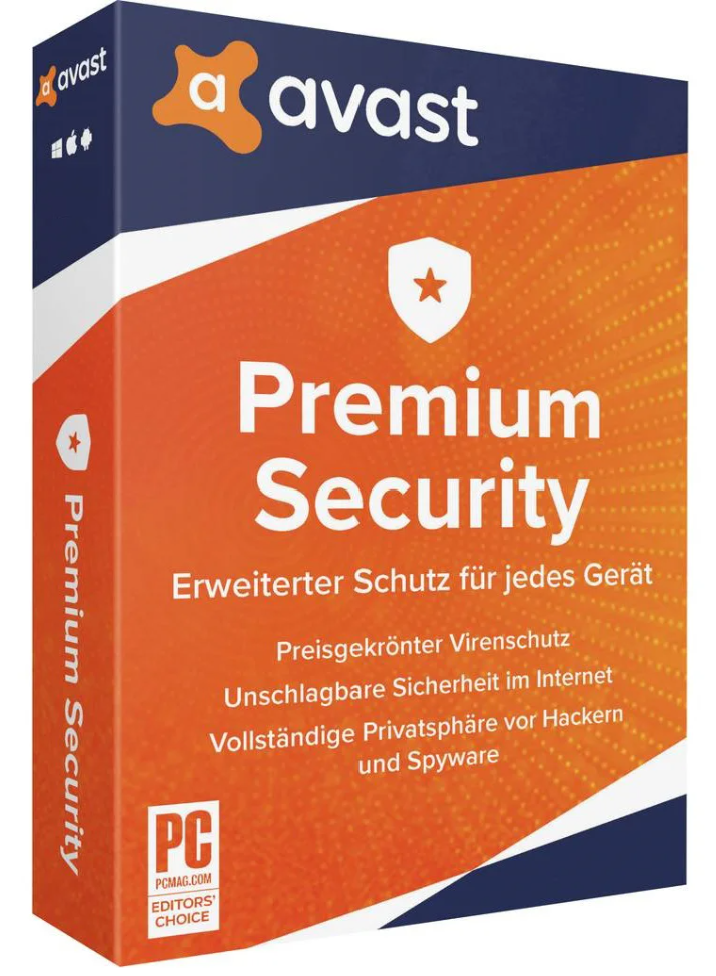

Effective antivirus protection is especially important these days. Information about hacker attacks is on the rise, making sensitive data protection essential. To ensure personal data is truly protected, every computer user should purchase antivirus software for their system. Avast Premium Security provides adequate protection for desktop PCs, macOS, and mobile devices.
 |
 |
 |
 |
|
| 1 Device | ✔ | – | – | – |
| 3 Devices | ✔ | – | – | – |
| 5 Devices | ✔ | ✔ | ✔ | ✔ |
| 10 Devices | ✔ | ✔ | ✔ | ✔ |
By purchasing Avast Premium Security , you’ll be choosing professional and reliable protection against viruses. Avast Premium Security has several useful features that prevent malware from reaching your computer. For example, modern virus scanners are included in Avast Premium Security and regularly check your system for malware. As soon as a suspicious file appears on your system, you’ll be notified by an alert.

It checks downloaded files for threats and automatically removes them when detected.


Automatically scans unknown files to isolate or remove harmful content.

Detects suspicious program behavior and protects you from potential attacks in real time.
Scan your local wireless network for weak points and protect your network from intruders.

Prevent interruptions from pop-ups when you work or play in full-screen mode.

The number of cyberattacks has skyrocketed in recent years – and with it, the sophistication of the methods used. Scammers are now employing increasingly sophisticated techniques to access sensitive data. A particularly insidious example is DNS spoofing : this involves creating fake copies of well-known online stores or banking websites to trick unsuspecting users into revealing their login credentials.
That’s why it’s essential for computer users to protect themselves with effective antivirus software. Free programs often only offer basic protection and quickly reach their limits against advanced malware.
A key advantage of Avast Premium Security : the software detects fraudulent DNS manipulations in advance and automatically redirects you to the genuine, secure site. This significantly reduces the risk of DNS spoofing – and keeps your data protected.
But cybercriminals also exploit other entry points in a targeted manner—for example, the Remote Desktop Protocol (RDP) . Originally designed to allow trusted users to easily access their own systems remotely, RDP can quickly become a weak point if it is not adequately protected. Hackers use these open access points to take control of foreign systems undetected.
Avast detects these risks in time, blocks unauthorized access and reliably protects your system – before it’s too late.
| Functions – Windows | Avast Premium Security |
|---|---|
| Defense against real-time online threats | ✔️ |
| State-of-the-art ransomware protection | ✔️ |
| Easy defense against unsecured emails | ✔️ |
| Detection and avoidance of fake websites | ✔️ |
| Firewall against hackers | ✔️ |
| Protection against webcam spying | ✔️ |
| Protecting saved passwords | ✔️ |
| Preventing remote access hacking | ✔️ |
| Protecting files against spyware | ✔️ |
| Permanent deletion of files | ✔️ |
| Less risk thanks to app updates | ✔️ |
| Secure opening of suspicious files | ✔️ |
| Features – macOS | Avast Premium Security |
|---|---|
| Defense against real-time online threats | ✔️ |
| Advanced ransomware protection | ✔️ |
| WLAN security vulnerability alerts | ✔️ |
| Protection against fake websites | ✔️ |
| Features – Android | Avast Premium Security |
|---|---|
| Block viruses & spyware | ✔️ |
| PIN/fingerprint protection for apps & photos | ✔️ |
| Detection of dangerous links in SMS messages and emails | ✔️ |
| Daily threat analysis | ✔️ |
| Features – iOS | Avast Premium Security |
|---|---|
| Block dangerous websites and downloads | ✔️ |
| Email leak alert (up to 5 addresses) | ✔️ |
| Private photo vault (encrypted) | ✔️ |
| Built-in VPN for secure browsing | ✔️ |

Avast detects automated password attacks in real time and blocks them before any access is even made.

The program checks for known vulnerabilities in your operating system and helps to fix them.

IP addresses that abuse RDP access to spread malware are automatically blocked.
Avast Premium Security not only protects Windows PCs, but also macOS, Android, and iOS devices reliably. Learn here why each of these systems deserves extra protection.
Windows is the most widely used operating system in the world – and therefore a prime target for hackers. Strong antivirus protection is absolutely essential to safeguard against attacks, spyware, and Trojans.
Many people believe that Apple systems are virus-free – this is a mistake. Macs can also be affected by malware. Avast Premium Security offers advanced protection for complete security.
Android devices are often targeted by malware because they are so widespread and contain a lot of personal data. Online banking and payment data are particularly vulnerable. Avast provides effective protection against these attacks.
Although well-protected, iOS is not immune to data theft. Sensitive information can be intercepted on unsecured Wi-Fi networks. Avast Premium Security protection is therefore also worthwhile for iOS.
| Functions | Premium Security | SecureLine VPN | Premium AntiTrack | Cleanup Premium | Ultimate Package |
|---|---|---|---|---|---|
| Block viruses, spyware, ransomware, and malware | ✔️ | – | – | – | ✔️ |
| Online banking and secure shopping | ✔️ | – | – | – | ✔️ |
| Avoid fake websites | ✔️ | – | – | – | ✔️ |
| Advanced Firewall | ✔️ | – | – | – | ✔️ |
| Protection of sensitive documents | ✔️ | – | – | – | ✔️ |
| Block fraudulent emails | ✔️ | – | – | – | ✔️ |
| Hiding activities from hackers | – | ✔️ | – | – | ✔️ |
| Hide IP address | – | ✔️ | – | – | ✔️ |
| Bypassing geoblocking | – | ✔️ | – | – | ✔️ |
| Hiding your online fingerprint | – | – | ✔️ | – | ✔️ |
| Block trackers | – | – | ✔️ | – | ✔️ |
| Follow-up alerts | – | – | ✔️ | – | ✔️ |
| Eliminate data waste | – | – | – | ✔️ | ✔️ |
| Automatic maintenance | – | – | – | ✔️ | ✔️ |
| Operating System: | |
| Included Applications: |
Reviews
There are no reviews yet.