
79.00 € Original price was: 79.00 €.25.00 €Current price is: 25.00 €.
Digitally delivered by email within a few minutes after payment confirmation. These are ESD digital licenses — all product keys are original and have no expiration date. They can be reinstalled on the same activated device at any time.
By purchasing this product, you will receive the digital software download from our servers along with the product key needed for software activation, as well as detailed installation instructions.
License previously used and relinquished by the former owner in compliance with CJEU ruling C-128/2011 :
100% authentic digital products with official vendor warranties, ensuring genuine licenses.
Enjoy peace of mind with a 30-day return policy on all digital products. Full refunds or exchanges for any issues.
Your payments are fully secure with our encrypted transaction network. Shop with confidence.
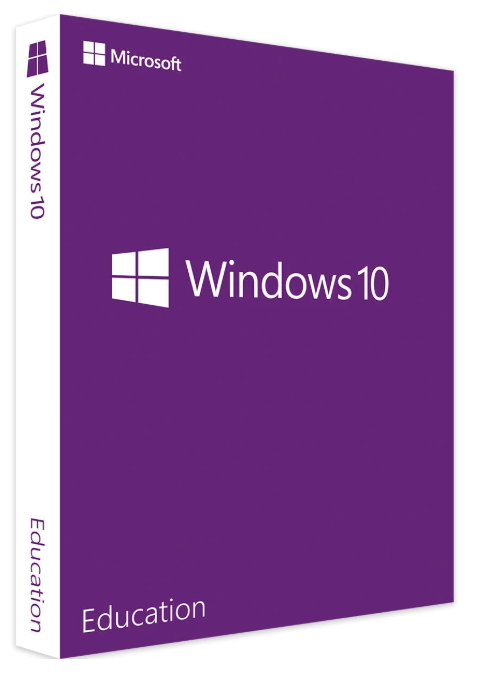
Microsoft Windows 10 is a user-friendly and highly modern operating system that can be used to significantly improve security. In addition to the standard Home version, Microsoft offers many other versions of the Windows 10 operating system, such as Windows 10 Education. This version is specifically designed for educational institutions and students, providing a secure and functional environment.
Those who want to purchase Microsoft Windows 10 Education can significantly improve their learning environment. This is true regardless of grade level, so there’s a suitable solution for every setting. For example, Windows 10 Education doesn’t necessarily have to be the starting point for a paperless school, but it can greatly enhance the application with minimal effort.
Numerous practical examples have already demonstrated that a lasting improvement in one’s own learning ability can be achieved with minimal effort. For both teachers and students, this allows for a safe and convenient implementation that enables them to utilize the latest technologies. This, especially from the perspective of younger students, provides a comfortable and highly professional solution for their daily learning.
Due to its direct reference to Windows 10 Enterprise, this version incorporates elements geared towards professional use of the operating system. The system thus perfectly complements existing systems in educational institutions, fundamentally improving user experience. Combined with additional features, it’s easy to leverage this added value in an educational setting and rely on a user-friendly application. For example, the Direct Access function significantly simplifies network access, providing students with an easy-to-use and practical version of the operating system.
The wide range of features makes Microsoft Windows 10 an excellent choice. This applies to both schools and traditional private tutoring. Virtual desktop integration is also seamless, allowing users to switch between desktop and tablet modes depending on the device. This way, the availability of your own system can be increased without any issues or additional difficulties within the application. This makes Windows 10 a secure solution not only for everyday use but also for enhancing security in the digital environment.
Fundamentally, Microsoft Windows is very open to the integration of additional applications and software. This makes it much easier to adapt the environment to one’s own needs and provide a structured learning environment. As a result, the operating system quickly transforms into a modern and versatile solution, which can enhance the learning success of individuals as well as larger groups.
This particular version of the operating system thus increases student demand. It allows for the implementation of existing educational concepts directly on the PC, which is an excellent way to introduce young students, in particular, to digital learning. In this way, it becomes easy to purchase Microsoft Windows 10 Education and operate at the same level as the enterprise version of the operating system.
Essentially, the Education edition, like the Enterprise edition, is comparable to the Windows 10 Pro operating system. It is designed for small businesses that want to set up a functional network with fast and secure data exchange. These requirements are also evident in schools, universities, and other educational institutions.
Without special applications for the education sector, the system hardware of the Education and Enterprise editions is identical. It differs from the Pro version primarily in the following features:
BranchCache
, Start screen control for groups
, AppLocker to prevent unwanted background programs, and
Direct Access.
Direct Access ensures that employees in the field have secure and functional access to the company network via smartphones and other devices. This is also useful for schools and universities if teachers want to access school network content from home. As an additional security feature, Windows 10 Education, like the Pro version, offers BitLocker, which enables hard drive encryption.
The concept of “Windows as a Service” is relatively new to the Windows 10 family. In this model, new features are provided at regular intervals by Microsoft developers, avoiding the need for major updates or upgrades to newer versions. These features cover a wide range of functions and areas of information technology and are partly offered as optional extras. This allows teachers and other users of Windows 10 Education to freely choose which applications can be used to easily organize or conduct lessons.
Regardless of Microsoft’s standard features, Windows 10 Education users can personalize the system with applications. In addition to the usual app stores, Microsoft offers a number of special applications designed for educational institutions. A particularly noteworthy example is a special version of Minecraft, which encourages creativity, organization, and communication skills in students of all ages.
Another concept is the use of Microsoft MakeCode, which, as a simplified version, provides hands-on programming even for younger age groups. Beyond purely online programming with source code, there is a focus on development in fields such as mechanics, technology, and mechanical engineering. The Education edition is specifically designed for this purpose, and many of the adapted applications are non-commercial.
In this case, we recommend using one of the Office suites specifically developed for Windows 10:
Within such a modern operating system, it’s easy to enhance existing functionality and utilize robust structures. Therefore, every user can expect an attractive package, combined with regular improvements and updates, ensuring Windows 10 remains current. This significantly increases system availability without encountering daily operational difficulties. This makes purchasing Microsoft Windows 10 a sound choice for those seeking to professionally improve their use of the operating system in everyday life.
Platform: Windows
Operating System: Windows 10
Processor: Processor or SoC with at least 1.0 GHz
Memory: 1.0 GB (32-bit version), 2.0 GB (64-bit version)
Disk Space: 16 GB (32-bit version), 20 GB (64-bit version)
Graphics Card: DirectX 9 or higher (with WDDM 1.0 driver)
Reviews
There are no reviews yet.