
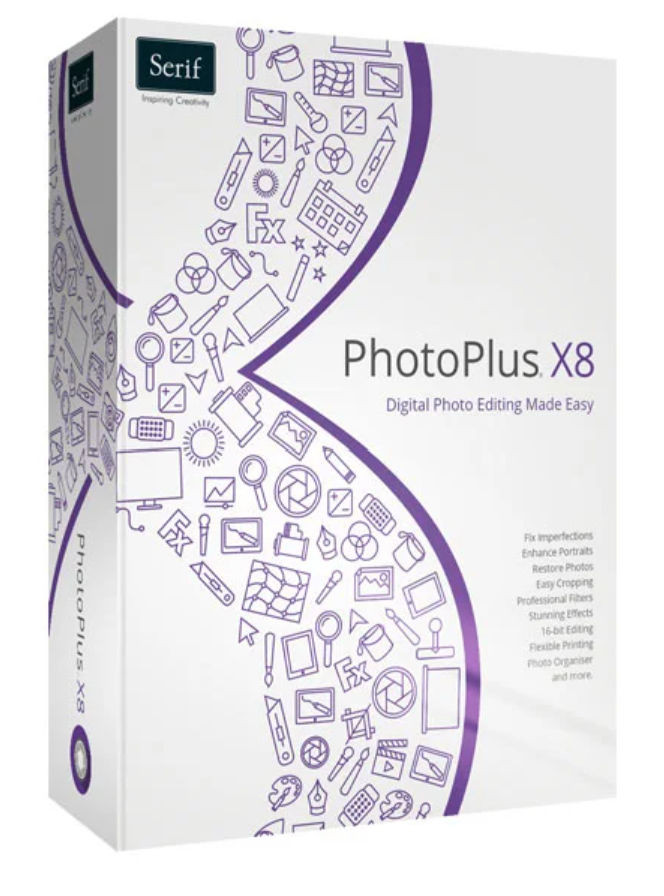
89.99 € Original price was: 89.99 €.49.00 €Current price is: 49.00 €.
Digitally delivered by email within a few minutes after payment confirmation. These are ESD digital licenses — all product keys are original and have no expiration date. They can be reinstalled on the same activated device at any time.
By purchasing this product, you will receive the digital software download from our servers along with the product key needed for software activation, as well as detailed installation instructions.
License previously used and relinquished by the former owner in compliance with CJEU ruling C-128/2011 :
100% authentic digital products with official vendor warranties, ensuring genuine licenses.
Enjoy peace of mind with a 30-day return policy on all digital products. Full refunds or exchanges for any issues.
Your payments are fully secure with our encrypted transaction network. Shop with confidence.
Whether you’re a professional photographer, an ambitious amateur, or a complete beginner, the easy-to-use features of Serif PhotoPlus X8 will inspire you. Fantastic effects, flexible cropping and retouching, red-eye removal, restoration of old photos, blemish removal, and a full range of printing options await your photographic projects. Discover for yourself what our best and easiest photo editing software has to offer!
Create professional-quality photos with the simple tools and features of Serif PhotoPlus X8. Not only can you eliminate image errors in a flash, but you can also add creative effects, adjust colors smoothly and realistically, and restore old photo classics. All this and much more is offered by this comprehensive solution. Perfect for beginners, advanced users, and professionals alike, Serif PhotoPlus X8 delivers complete photo editing at an unbeatable price.
NEW! Smart cutting options
Thanks to the expanded cropping tool, cropping is now even easier and more precise. In addition to the “normal” length and width dimensions, you can now crop photos to specific aspect ratios or pixel dimensions – naturally with live feedback as you adjust the size and position of the crop frame.
With the “Canvas Trim” function, transparent areas around the edges of an image can be directly removed, leaving only the actual image. This only requires that your image be on a transparent background.
NEW! A new surface blur for perfect portraits and restoration of damaged photos
With the new surface blur, perfect portraits are a breeze. This feature eliminates imperfections and unwanted lines, smooths wrinkles, and evens skin tone, without destroying important details.
Surface blur is the perfect complement to digital makeup effects for correcting skin imperfections, whitening teeth, and correcting red eyes.
Surface blur can also be used to spice up old photos and improve low-light images by removing noise and film grain. In combination with the clone tool, scratches, blemishes, and creases can also be removed from old photographic treasures.
NEW! Expanded HSL adaptation
Thanks to advanced HSL adjustment, you can now fine-tune the hue, saturation, and relative brightness of your images with even greater precision. Since most objects contain multiple shades of color, the new HSL eyedropper tool lets you easily add and subtract any colors you want to see, allowing you to naturally alter the appearance of different objects.
NEW! “Remove Color Fringes” Function: Lightning-fast cleaning of cropped content margins
Thanks to the new “Remove Color Fringes” function, the edges of clipped content can be cleaned up in a flash. This trick is perfect if you want to insert objects onto a new layer or place them on a high-contrast background.
The image patterns can, of course, be cut out and separated from their background. The improved background eraser now offers even more options, and thanks to the Clipping Studio, the Transparency Eraser, and various selection tools, you can quickly and easily locate all the areas you need.
NEW! Layers – the easy way to fantastic images
Managing your image layers can now be even more intuitive. You can add new layers and layer groups in a flash, combine multiple images as layers, and transform photos into creative collages.
The new “Linear Burn” and “Linear Light” blending modes offer even more possibilities for creative work with layers and photos.
NEW! The new standard of superior quality
Now, your workflow becomes even more professional thanks to support for 16-bit plug-ins and an extensive range of built-in 16-bit effects. RAW photos can be easily imported from your digital camera and then edited in 16-bit before exporting. Unlike other image editing programs, PhotoPlus doesn’t reduce the quality of your images and ensures consistently professional results.
One-click corrections
Remove red-eye and skin blemishes from wedding and birthday photos, eliminate unwanted elements from vacation pictures, smooth individual wrinkles and entire areas of skin, and precisely adjust your photos to image size with a single click—whether by cropping, zooming in, or reducing. And don’t worry if you change your mind. You can always restore your images to their original state—no matter how much they’ve changed.
Restore and optimize
Revive old photographic treasures with PhotoPlus X8 ‘s intuitive repair tools . Thanks to surface blur and cloning tools, annoying noise and film grain are a thing of the past, and even creases, cracks, and similar issues can be easily painted over. These corrections are not only incredibly precise but can also be easily checked with a live preview!
Is something or someone in your photo bothering you? No worries. PhotoPlus has all the tools you need to remove people, objects, and backgrounds. Even images that are too dark, too bright, or washed out can be quickly restored to the correct lighting.
Inserting creative effects
Thanks to the wide range of professional filters, you can transform the look of your images in no time. How about classic black and white, a retro look, or paintings in various artistic styles? With split-screen display, you can easily compare the original effects with the filter effects.
Many effects can be flexibly configured. You can also stack multiple filters on top of each other in an image, add text, and use blending modes to flexibly combine all layers into a complete work of art.
Restoration of damaged photos
Why should your classic photos be “put on hold” just because of a few minor imperfections? In PhotoFix Studio, all unwanted scratches, blemishes, and creases can be eliminated with a single click. Of course, this also applies to red-eye, skin blemishes, and other small imperfections. Perfect your photos with incredibly simple tools, remove unwanted image patterns, or simply place people on a new background—no problem.
Bring your photos to life!
Serif PhotoPlus X8 is perfect if you want to print photos quickly and easily on your own printer.
Simply print in various image sizes, multiple images on one or more pages, contact sheets, or entire albums—all in just a few clicks and with optimal quality. Printing your photos at home couldn’t be easier!
If you already own a version, you can purchase the cheapest update as a download. Please have your old version’s license number ready to install the update. If you don’t have it, please contact kontakt@avanquest.de .
| Size | 240 MB |
| Operating system | Windows XP, Windows Vista 32-bit, Windows Vista 64-bit, Windows 7, Windows 8, Windows 10 |

Reviews
There are no reviews yet.