
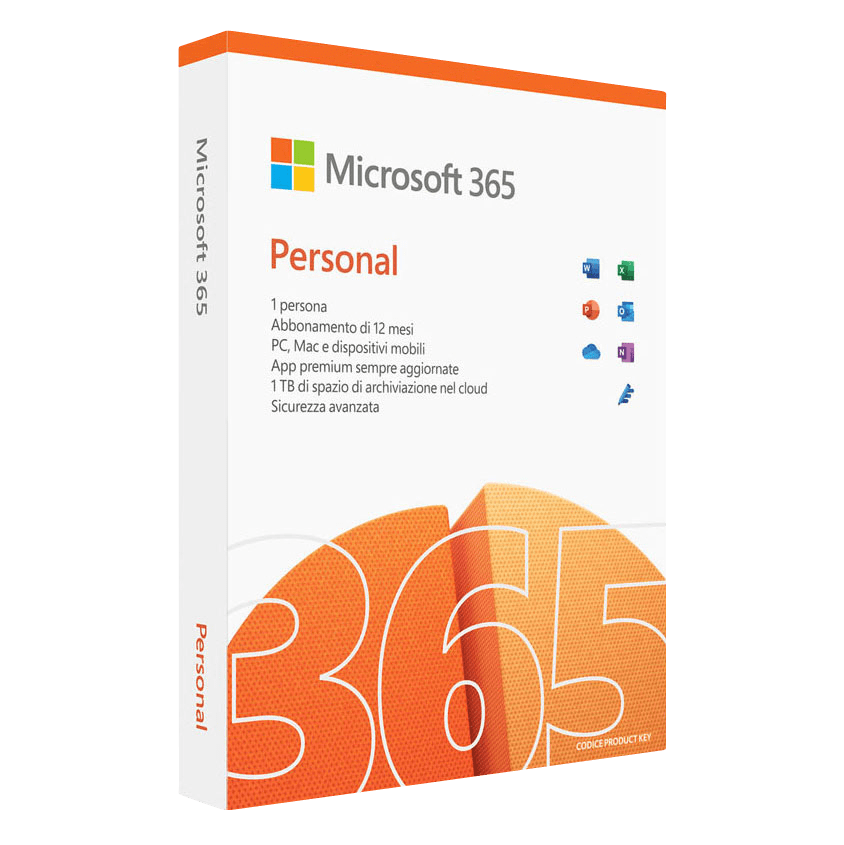
119.99 € Original price was: 119.99 €.39.99 €Current price is: 39.99 €.
Digitally delivered by email within a few minutes after payment confirmation. These are ESD digital licenses — all product keys are original and have no expiration date. They can be reinstalled on the same activated device at any time.
By purchasing this product, you will receive the digital software download from our servers along with the product key needed for software activation, as well as detailed installation instructions.
License previously used and relinquished by the former owner in compliance with CJEU ruling C-128/2011 :
100% authentic digital products with official vendor warranties, ensuring genuine licenses.
Enjoy peace of mind with a 30-day return policy on all digital products. Full refunds or exchanges for any issues.
Your payments are fully secure with our encrypted transaction network. Shop with confidence.
Choosing ESD codes for your Microsoft 365 Personal subscription means you can be sure you are purchasing a genuine product that has been activated in full compliance with Microsoft standards. Every order is processed securely, with transactions protected by SSL encryption and automatic activation directly on the Microsoft account associated with the order email. Your purchase includes free lifetime technical support, available in Italian and English, to help you at every stage of use. In addition, we offer a 100% satisfaction or money-back guarantee, so if something doesn’t work, you are entitled to a full refund. As an official Microsoft partner (Partner ID 6776838), we provide you with original licences, guaranteeing compatibility, official updates and full legal compliance. With ESD codes, you are not only purchasing a subscription, but also the peace of mind that comes with a reliable and long-lasting service.
Many users wonder how it is possible to purchase Microsoft 365 Personal at such a competitive price. The answer lies in full compliance with European regulation C.E. C-128/2011, which allows the resale of retail software licences that have already been used and regularly decommissioned by the previous owner. This regulation ensures that each licence is authentic and fully functional, while at the same time offering significant savings compared to traditional channels. By choosing ESD codes, you not only get an original, legally compliant product, but you also contribute to a more sustainable digital economy model, avoiding waste and extending the life cycle of the software.
With ESD codes, downloading Microsoft 365 Personal is simple and straightforward. After completing your purchase, your subscription is automatically activated at the email address provided in your order. Once activation is complete (on average a few minutes, up to a maximum of 8 working hours or 48 hours at the weekend), you can log in to your Microsoft account and download the suite from the official link. This ensures that you are using original files, without going through unauthorised sources. Here’s how to download Microsoft 365 Personal:
Installing Microsoft 365 Personal is easy for everyone. After logging into your Microsoft account and downloading the suite, simply launch the installation file and follow the guided instructions. The applications will be automatically installed on your devices, up to a maximum of 5, and will be ready to use immediately. If you need assistance during the process, our free lifetime technical support is always available to guide you step by step.
With ESD codes, activating your Microsoft 365 Personal subscription does not require any codes or complicated procedures: activation takes place automatically at the email address provided at the time of purchase. If you prefer to associate the licence with a different account, simply contact us and we will transfer it for you. Once activation is complete, you can log into your Microsoft account, download the applications and start using them immediately on all devices included in the plan.
Microsoft 365 Personal is designed to work best on both Windows PCs and Macs. On Windows, all applications and services are optimised to ensure smooth performance and full compatibility with the latest versions of the operating system. On macOS, the apps have been developed to integrate seamlessly with the Apple environment, maintaining the same interface and functionality you find on Windows. You can also install your subscription on tablets and smartphones, so you always have Word, Excel, PowerPoint, Outlook and other tools at your fingertips, wherever you are.
When you purchase Microsoft 365 Personal from ESD codes, you don’t just get a subscription: you also get the security of having a team of experts ready to help you at any time. Our free lifetime technical support is available in Italian and English and assists you at every stage, from accessing your Microsoft account to installing applications and resolving any future issues. No matter how long ago you made your purchase, for us, the customer relationship continues for the entire duration of the licence.
With Microsoft 365 Personal, your files, emails and information are protected by advanced built-in security features such as data encryption, threat detection and secure access via two-factor authentication. Documents stored on OneDrive are always secure and accessible only to you or the people you choose to share them with. For even more comprehensive protection, at ESD codes you can combine your subscription with a reliable antivirus such as Norton or ESET Internet Security to protect your devices from malware, phishing and ransomware.
Purchasing Microsoft 365 Personal on ESD codes means getting an original product at an affordable price, thanks to the possibility of offering discontinued and fully functional retail licences. You pay once for the whole year and can use the applications on up to 5 devices without additional costs or hidden automatic renewals. Each licence is authentic and activated in accordance with Microsoft standards, ensuring official updates and optimal performance for the duration of the subscription.
Reviews
There are no reviews yet.