
99.99 € Original price was: 99.99 €.49.00 €Current price is: 49.00 €.
Digitally delivered by email within a few minutes after payment confirmation. These are ESD digital licenses — all product keys are original and have no expiration date. They can be reinstalled on the same activated device at any time.
By purchasing this product, you will receive the digital software download from our servers along with the product key needed for software activation, as well as detailed installation instructions.
License previously used and relinquished by the former owner in compliance with CJEU ruling C-128/2011 :
100% authentic digital products with official vendor warranties, ensuring genuine licenses.
Enjoy peace of mind with a 30-day return policy on all digital products. Full refunds or exchanges for any issues.
Your payments are fully secure with our encrypted transaction network. Shop with confidence.
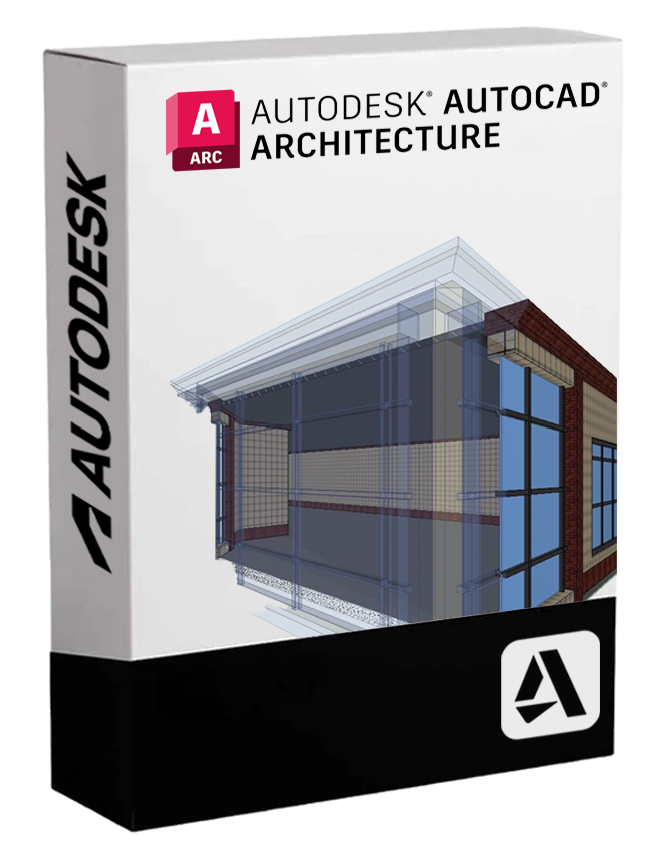
Autodesk AutoCAD Architecture – Description
Autodesk AutoCAD Architecture is the specialized version of AutoCAD designed for architects, designers, and building professionals. It is a powerful BIM-oriented design software that combines the efficiency of CAD drafting with intelligent tools for 2D and 3D architectural design. Through the integration of architecture-specific features, it enables the creation of more consistent, detailed, and updatable projects, significantly reducing the time required for modeling, documentation, and revisions.
🏛 Main features included
• Intelligent architectural objects
AutoCAD Architecture uses intelligent entities (such as walls, doors, windows, roofs, and stairs) that behave dynamically and contextually, allowing for quick and realistic modifications. Each object can be modified graphically or through specific parameters.
• Automatic creation of sections, overviews, and floor plans
The software automatically generates 2D and 3D views from the model, ensuring consistency between all drawings and simplifying project documentation.
• 🧱 Building component libraries
Includes comprehensive libraries of materials, furniture, structural elements and construction details conforming to international construction standards, enabling faster and standardized design.
• 📐 Clever architectural quotes
The dimensions adapt dynamically to architectural objects, improving the accuracy of the documentation and reducing errors.
• Automated revision management
Tools for change tracking and revision management simplify coordination between team members and the different stages of project development.
• 🏗 BIM compatibility and collaboration
Although not a pure BIM software like Revit, AutoCAD Architecture allows for BIM-oriented design and can integrate with other Autodesk software thanks to DWG and IFC format compatibility.
💻 Compatibility and operating systems
AutoCAD Architecture is available exclusively for Windows . There is no native version for macOS , but it is possible to use the software on a Mac via virtualization , with tools like Parallels Desktop and VMware Fusion. Could you please provide the text to be translated? Bootcamp (for systems with Intel processors).
⚙️ Recommended equipment
To achieve optimal performance and smooth operation even on complex projects, the following configuration is recommended:
• Operating system : Windows 10 or Windows 11 (64-bit only)
• Processor : Multi-core of at least 3.0 GHz (Intel i7 or AMD Ryzen 7 recommended)
• RAM : Minimum 16 GB (32 GB recommended)
• Video card : DirectX 12 compatible GPU, at least 4 GB of VRAM (professional cards such as NVIDIA Quadro or AMD Radeon Pro preferred)
• Disk space: At least 10 GB available for installation
• Recommended resolution : 1920×1080 or higher
👷 Who is AutoCAD Architecture suitable for?
• Architects and architectural firms
Ideal for professionals who want to work in an advanced CAD environment with dedicated architectural tools, while maintaining compatibility with the DWG format.
• Building designers and civil engineers
Perfect for those working in technical and construction design, with the need for precise architectural details that can be updated in real time.
• 🏢 Construction companies and building companies
To create executive documentation, construction plans, and detailed architectural models from intelligent drawings.
• Public bodies and multidisciplinary consulting firms
Suitable for teams that require interoperability with other Autodesk software or with external BIM systems, while maintaining a high level of detail.
Reviews
There are no reviews yet.