
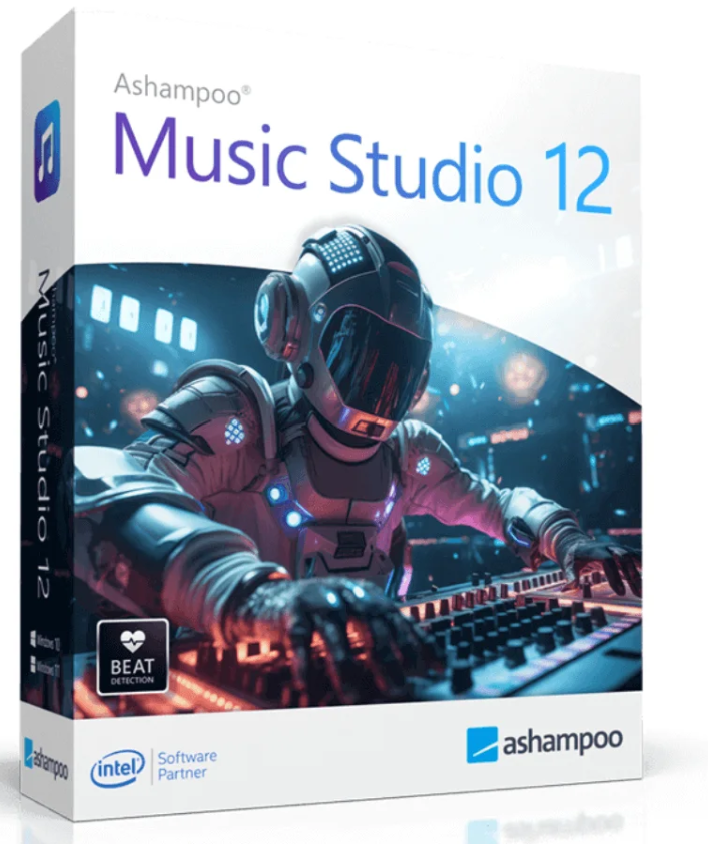

Ashampoo Music Studio is the versatile tool for music and audio files – a true Swiss Army knife for your sound projects. With a multitude of powerful features, you can easily edit, cut, produce, mix, and organize music files.
With Ashampoo Music Studio 12 , you have eight handy modules that cover almost all the needs of PC music lovers. Whether you want to edit, cut, or burn songs, everything is fast, easy, and intuitive. You can even record content from platforms like Spotify, Deezer, or Amazon Music, convert music files to other formats, create individual mixes for parties, or generate playlists for different devices. Furthermore, you can efficiently organize your music libraries, rip CDs, and create and print custom album artwork directly.
Another key feature is the newly developed and exceptionally robust recording mode. Even in the event of technical issues such as a dead microphone battery, an accidentally disconnected cable, or a temporary device malfunction, recording continues uninterrupted. Ashampoo Music Studio automatically keeps all connected audio devices up to date and allows for immediate recording at any time. Even in challenging situations, the program remains stable and ensures your work is done reliably and without interruption.
Thanks to improved CD recognition, your albums are named correctly – including evaluation of CD texts for complete metadata.
Even for streaming services like Spotify or Deezer, the program automatically recognizes the tracks and associates them correctly.
Multiple entries in the database are automatically merged, while window scans ensure clean filenames for unknown sources.
Automatic track separation detects silences in the audio stream and creates individual tracks from them.
The new, clear record list shows you all the information at a glance. Thanks to the sorting function by name, date, or length, you can find everything immediately.
With an optimized workflow, you save time – fewer clicks, faster results!

Want to digitize your music CDs? Music Studio 12 recognizes content even more reliably. Enhanced CD recognition compares multiple database entries and intelligently combines them to obtain the best metadata.
Thanks to the evaluation of the CD text directly from the disc, you get more complete information about the tracks – without any further processing.
Whether it’s a microphone or a line input: Music Studio 12 automatically detects muted devices and unmutes them only for recording.
Once finished, the previous state is restored – ideal for spontaneous recordings without technical obstacles!
The new, clear record list helps you stay in control even if you have many files. Easily sort your records by name, date, or length—in ascending or descending order.
This way you can find the recording you are looking for in the blink of an eye, even in large archives.
 Robust recording – even in the face of problems.
Ashampoo Music Studio 12 is your reliable partner for every audio recording. Even if your microphone suddenly malfunctions, a cable is unplugged, or the audio device isn’t recognized for a while, the recording continues smoothly. All audio devices are automatically updated and ready to use at any time. Where other programs give up, this one simply keeps going and guarantees your recording even in the event of technical issues.
Intuitive operation – everything at a glance.
To get you recording as quickly as possible, the menu has been streamlined. All important settings, such as format, quality, and storage location, are located on a single, clear page. This allows you to get started without any fuss and focus entirely on your recording.
Loop Preview for perfect control.
If you want to analyze precise details, such as the transition between two tracks, the new Loop Preview helps you. Simply select the desired section and you can play it back as many times as you like – ideal for tweaks and corrections.
More info directly on the track.
Each track now has its own title bar in the editor, which not only shows you the name but also allows you to move it directly. This way, you always have an overview while editing or mixing.
Quick access via right-click:
A right-click in the workspace opens a convenient context menu with the most important functions. This saves time and allows for even more focused work. The classic toolbar remains available, of course.
Easily split and edit tracks.
With the new Split function, you can mark a section and automatically cut it at the beginning and end. This makes it possible to precisely edit a part of a song or divide it into several sections – ideal, for example, for adjusting the equalizer.
More metadata for your music.
From now on, you can add up to 18 tags per track – from artist name and release year to genre and album. This allows you to organize your collection even more precisely.
More than just an album cover,
it’s now possible to add other images to a track, such as booklets, artist portraits, or record backs. This makes your collection not only more complete but also more visually appealing.
Logical use for greater efficiency
In the editor, all functions are grouped logically: whether you are editing one or more tracks or just a specific part, you will always find the appropriate tools directly – clearly and efficiently.
Thoughtful details that impress.
With intelligent positioning, you can, for example, define exactly when the next track should start – precisely after the last sound of the previous track. Tags are automatically and judiciously placed and are retained even if the format changes. Ashampoo Music Studio 12 impresses down to the smallest detail – for anyone who wants more than just audio processing.
| Create | |
|---|---|
| Record apps like Spotify, Deezer, and Amazon Music without interference | ✔️ |
| Selected apps instead of just “All you can hear” | ✔️ |
| Fully Plug and Play compatible | ✔️ |
| Intelligent pause and resume recording | ✔️ |
| “Recording what you hear” | ✔️ |
| Full StereoMix support | ✔️ |
| Assign multiple images to a track | ✔️ |
| 18 possible tags for a track | ✔️ |
| Creating compatible playlists | ✔️ |
| Ripper with automatic playlist creation | ✔️ |
| Simultaneous playback / layering of music files | ✔️ |
| Rip CDs in a flash with Quick Rip | ✔️ |
| Optimizing sound using the equalizer | ✔️ |
| Extract audio CDs, direct format selection, extract to any location | ✔️ |
| Extracting the soundtrack from movies | ✔️ |
| Edition | |
| Edit metadata | ✔️ |
| Loop Preview for a detailed analysis | ✔️ |
| Title bar for information and easy navigation | ✔️ |
| Context menu of all important functions | ✔️ |
| Position the tracks easily and logically | ✔️ |
| Greater order thanks to function groups | ✔️ |
| Trim the beginning and end of a sound file | ✔️ |
| Organize the titles and record additional information | ✔️ |
| Engaging function when tracks are moved | ✔️ |
| Working with shortcuts | ✔️ |
| Models for a better collection | ✔️ |
| Output profiles for Apple, Android, and Windows devices | ✔️ |
| Move the tracks by dragging and dropping | ✔️ |
| Shuffle function for CD & track mixer | ✔️ |
| APE (Monkey’s Audio) support | ✔️ |
| Speed, pitch, and time-shift effects | ✔️ |
| Standardization including M4A | ✔️ |
| intuitive 3-track editing | ✔️ |
| Editing marked areas | ✔️ |
| Complete editing of AAC/m4a files | ✔️ |
| edit the information for the song m4a | ✔️ |
| Automatic track splitting | ✔️ |
| Standardize AAC/m4a | ✔️ |
| Album art search & download | ✔️ |
| Convert to MP3, FLAC, WAV, OGG, Opus | ✔️ |
| Equalizing volume between tracks | ✔️ |
| Cut & mix music | ✔️ |
| Produce | |
| Improved pouch search | ✔️ |
| DJ Track Mixer with tempo adjustment | ✔️ |
| CUE format playlists | ✔️ |
| Burn an audio CD | ✔️ |
| Burn a CD/DVD/Blu-ray MP3 / WMA | ✔️ |
| CD/DVD/Blu-ray with mixed formats | ✔️ |
| Create a pouch for a slim or jewel case | ✔️ |
| Create a CD label | ✔️ |
| System requirements | |
|---|---|
| Operating system | Windows 11, Windows 10 (x64) |
| Prerequisites | Any device that supports the operating systems mentioned above. |


Reviews
There are no reviews yet.