 Skip to content

Microsoft Project 2021 Standard is the best solution for organizing important processes and planning. It allows you to easily track your tasks and control each step in detail. With the new version, you can expect even more detail and features, meaning nothing stands in the way of a clear and straightforward application. This makes it easy to optimize the management of your own projects and ensure long-term success.
Anyone wanting to get started with Microsoft Project 2021 Standard right away won’t need to spend much time learning its functions. The program is largely self-explanatory, providing the perfect foundation for a successful start. Tasks such as creating simulations or submitting work times become important steps that will help you progress further.
In particular, Microsoft Project 2021 Standard has undergone further development in terms of productivity and efficiency. All features have been retained, not only for the new Windows operating system but also for existing systems. This ensures you can always find the best solutions for your needs and ensure long-term viability. From your perspective, this makes it much easier to plan and effectively manage ongoing projects in advance.
Thanks to the numerous templates and other details, you can always keep an eye on the overall status of your projects. The software’s intuitive interface makes it even easier to create successful simulations and optimize planning in a targeted way. If you’re interested in a tool that combines all of this, you should purchase your Microsoft Project 2021 Standard key . The following features are included directly in the standard version:
Integrating internal workflows is also an excellent way to make Microsoft Project 2021 Standard even more integrated into your daily routine. This makes it easy to create powerful dashboards containing all the essential information and keep an eye on every facet of the project. The same applies to linking with Outlook and other individual applications . This, too, contributes to much clearer project control in the future and increases daily convenience.
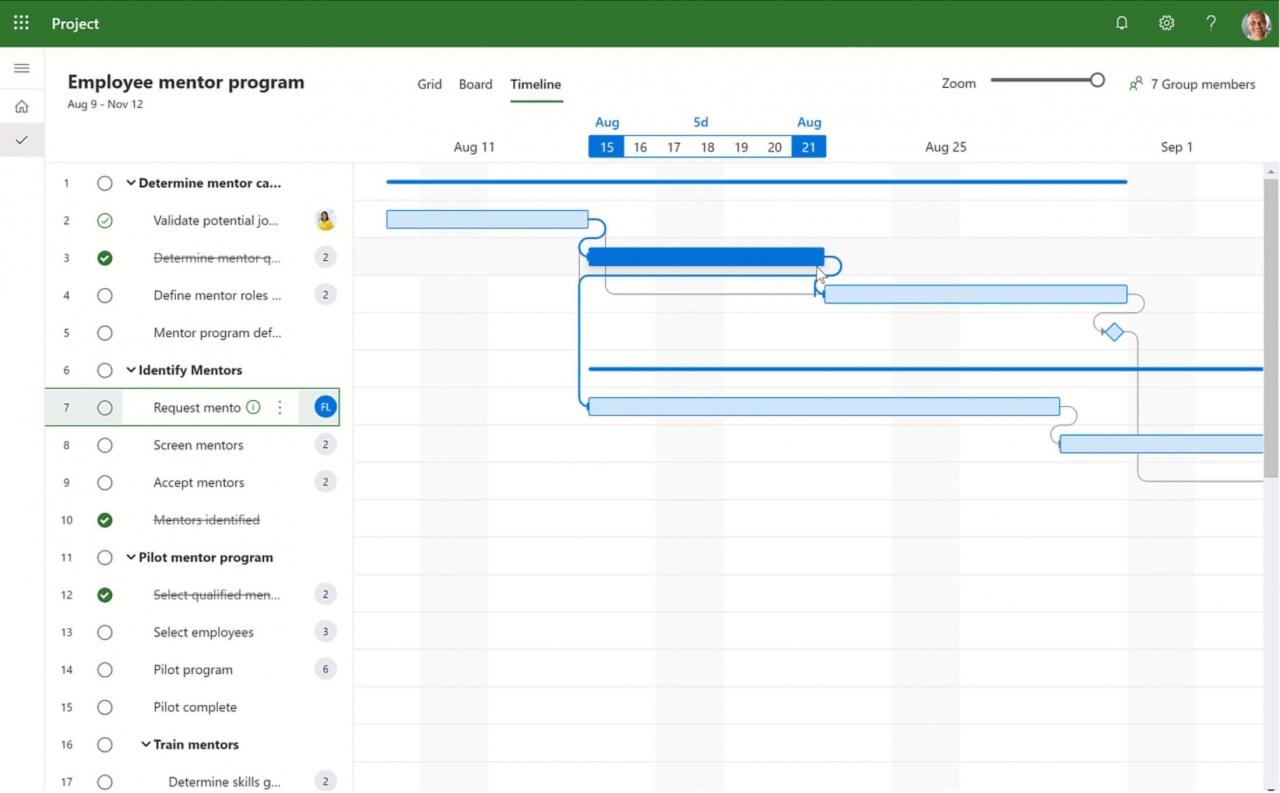
A key innovation in the design of Microsoft Project 2021 Standard is the integration of Microsoft Teams. This places a strong emphasis on effective team collaboration from the outset, which is of paramount importance, especially for content-intensive projects. In very rare cases, a single person is responsible for coordination, simplifying the agreement process.
Not only directly for Microsoft Project 2021 Standard, but also for other Office applications, Microsoft Teams has become increasingly important. Video conferences can now be scheduled and held at any time, according to your projects, with minimal effort. Cloud collaboration has also become much easier with the new version. The advantage is that you can work on the same plans and details from different locations simultaneously.
To choose the right version of Microsoft Project 2021 from the start, you need to be familiar with its features. With the numerous version designations in Windows, this isn’t easy. But what do Standard and Professional versions offer? The following table will quickly show you whether the Standard version of Microsoft Project 2021 will be sufficient for your needs:
|
Microsoft Project 2021 |
||
| Simple task management |
Yes |
Yes |
| Extensions in Project Server |
Yes |
Yes |
| Wide selection of models |
Yes |
Yes |
| Designed for professional use |
No |
Yes |
| Extended access directly within the team |
No |
Yes |
| New Microsoft Teams integration | Yes |
Yes |
| Reporting and monitoring of activities |
No |
Yes |
| Basic API management |
No |
Yes |
With significantly improved performance and changes such as the removal of Dark Mode, Microsoft Project 2021 Standard is a perfect fit for the new Windows 11. This allows you to easily keep track of content and work more productively when planning new projects. While Microsoft Project 2021 Standard isn’t directly included in Office, there are many points of integration. These make using the system much more seamless.
With the new cloud, it will be even easier to modify important data and access it from different locations. This becomes particularly clear when working with other team members. They can also access a customized version. Approvals for important documents can be efficiently managed via the company’s internal cloud.
In terms of core functionality, however, little has changed with Microsoft Project 2021 Standard . The new changes are more focused on technology and practical applications. For example, the program is now designed to work much more reliably, especially in conjunction with Windows 11. By signing in with your Microsoft account, diagrams and schedules can be automatically saved to the cloud. Therefore, it won’t be a problem if you forget to save them manually.
The combination of practical features and a modern design ensures long-term security. This makes it easy to trust the correct procedures in the workplace and to maintain seamless team coordination. Features such as clear chat and modern video conferencing integration contribute to the optimal implementation of digital transformation in the workplace.
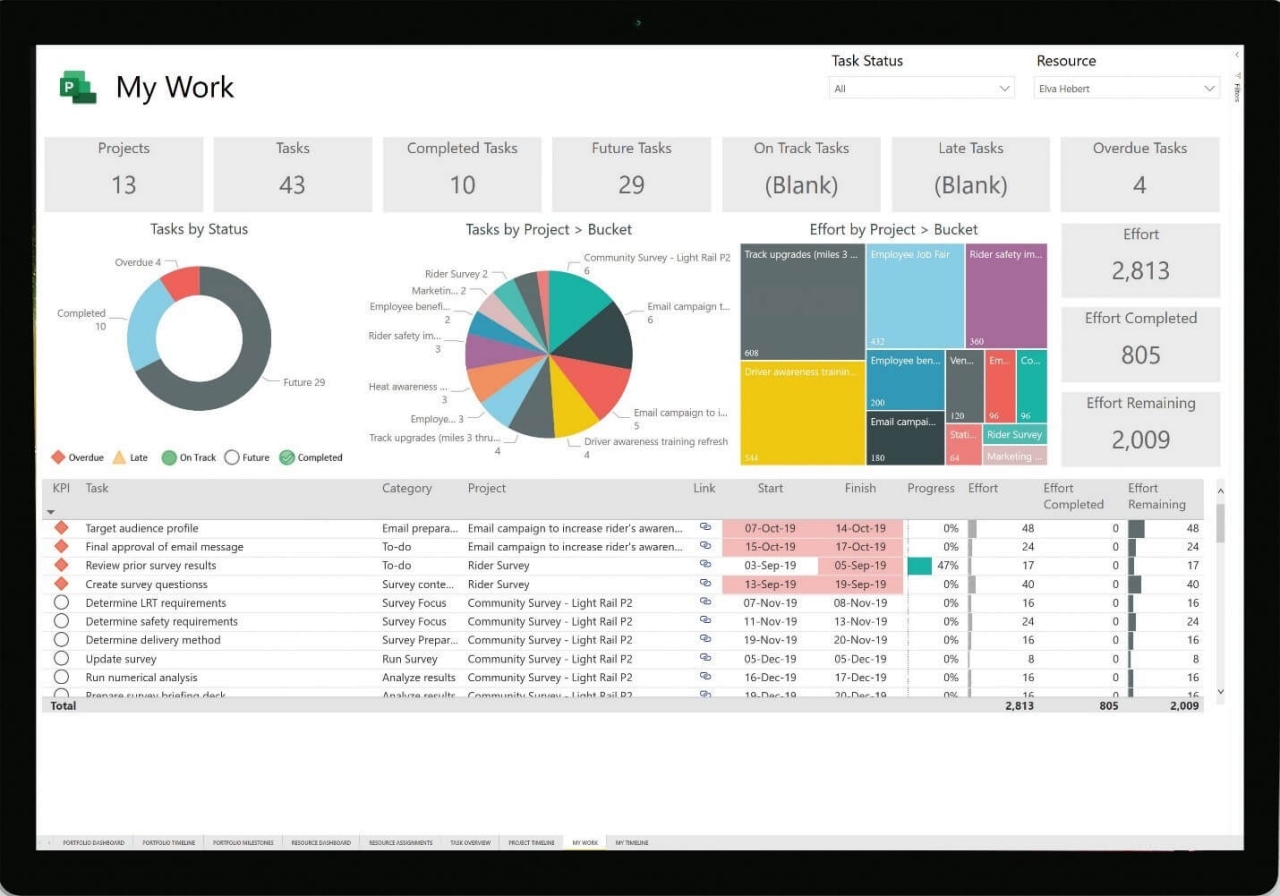
If the stability and reliability of your programs are also important to you, you should purchase Microsoft Project 2021 Standard . This gives you a modern look and feel, allows you to focus on the necessary workplace efficiency, and simplifies team communication. At the same time, you gain independence both locally and in terms of time during your work, which further reduces workload. It’s also easy to keep track of the current status at every stage with Microsoft Project 2021 Standard.
| Product description | Microsoft Project Standard 2021 |
| Product type | Download + product key |
| Category | Office Applications – Projects / Processes |
| Number | 1 |
| License details | National Retail, Click-to-Run – ESD |
| Platform | Windows |
| Language | All languages |
| Distribution media | Download |
| Operating System: | |
| Included Applications: | |
| Year: |
Reviews
There are no reviews yet.