 Skip to content

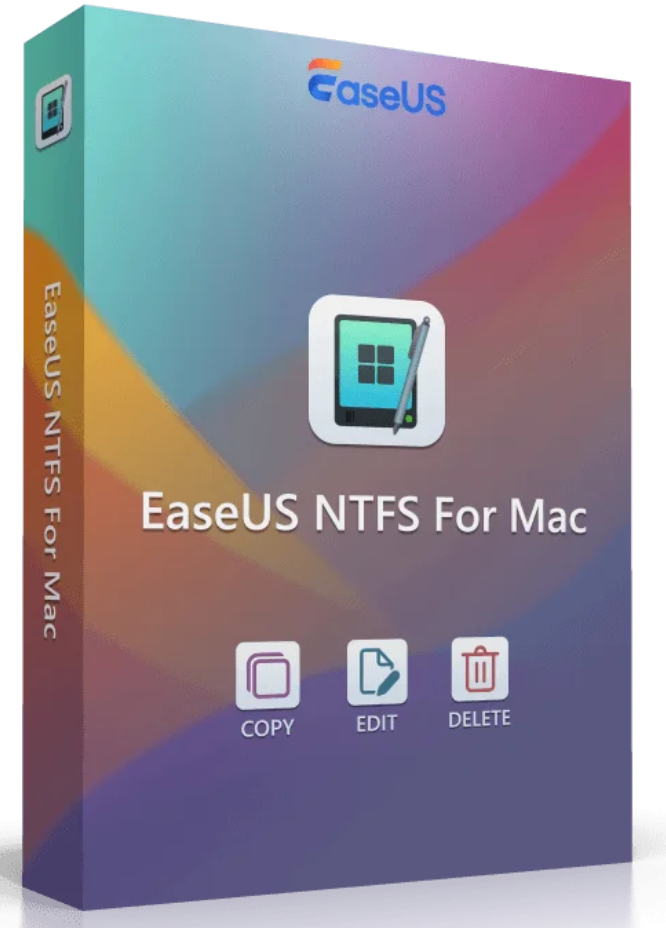

NTFS is the standard file system for the Windows NT series and is often used for external storage media such as hard drives, SSDs, or USB flash drives formatted under Windows. macOS can read NTFS volumes, but not write to them. To edit files on NTFS-formatted drives from your Mac, you need a special NTFS solution for macOS.

NTFS for Mac is a driver that allows macOS to fully manage NTFS-formatted disks—that is, not only read them, but also write to them. This tool supports all NTFS disks, including external drives. Therefore, you can mount, unmount, read, write, copy, delete, import, and export your files without any problems or restrictions.


EaseUS NTFS for Mac is a convenient and easy-to-use solution that lets you read and write to NTFS formatted drives on your Mac, without any workarounds.
Easily import and export important files such as documents, videos, or photos between your Mac and NTFS disks – without formatting or compatibility issues.
Looking for a reliable solution for full access to NTFS disks under macOS? Then download the full version now and get started immediately.
macOS only allows reading NTFS disks, but cannot modify, copy, write, or delete files. EaseUS NTFS for Mac is a powerful yet easy-to-use free Microsoft NTFS software for Mac that helps solve the “Mac cannot write to NTFS disks” problem with one click. It provides unlimited read and write access to Microsoft NTFS-formatted hard drives, SSDs, USB drives, and more. Now you can do everything you want with Windows-formatted disks on your Mac.

With EaseUS NTFS for Mac, you can now mount and unmount NTFS hard drives – no more fiddling with terminal commands to manually mount partitions, it’s just a click away! It also helps you display your NTFS hard drive in the Mac system tray, so you can quickly access viewing, copying, and writing files to NTFS volumes directly from the system tray.

Have you ever encountered a problem like “not being able to delete folders from an external hard drive on a Mac ,” or “not having write permissions on an external hard drive on a Mac” ? Since most external hard drives are pre-formatted with the NTFS file system, EaseUS NTFS for Mac’s built-in NTFS driver makes external hard drives from Western Digital, Seagate, SanDisk, etc., directly readable, writable, and writable. All NTFS read-only problems can be easily resolved!

Thanks to advanced NTFS driver technology, you can instantly enable NTFS on your Mac and gain full read and write access to NTFS hard drives. NTFS, exFAT, FAT32, HFS+, and APFS formats are supported.

Not only internal drives, but also external drives can be opened, edited, deleted, and copied without any problems. Issues with write-protected USB drives are now a thing of the past.

With EaseUS NTFS for Mac, you have direct access to files on Windows NTFS-formatted disks. This allows you to open and modify data without any problems on Mac computers.

If your WD My Passport or LaCie hard drive isn’t showing up on your Mac, you can quickly fix it with EaseUS NTFS for Mac. All unrecognized hard drives are easy to mount and use.

.
| Operating system |
| macOS 14 (Sonoma), macOS 13 (Ventura), macOS 12 (Monterey), macOS 11 (Big Sur), macOS 10.15 (Catalina), macOS 10.14 (Mojave), macOS 10.13 (High Sierra) |
| Mac-Device |
| Mac mini, MacBook, MacBook Air, MacBook Pro, iMac, iMac Pro, Mac Pro |
| Material |
| Intel-based Mac models, Intel + T2 Security Chip Mac models, ARM-based Apple Silicon M2, M1, M1 Pro, M1 Max Mac models |
| File system |
| NTFS, HFS+, APFS, FAT, exFAT |
| Pilot type |
| Hard drive, external hard drive, SSD, USB drive, Thunderbolt drive, SD card, CF card, etc. |
| Pilot’s brand |
| WD my passport, WD expansion, WD elements, Seagate, SanDisk, Silicon Power, Samsung, Kingston, Lacie, etc. |
| Storage space |
| 100 MB or more of free space |


Reviews
There are no reviews yet.