 Skip to content

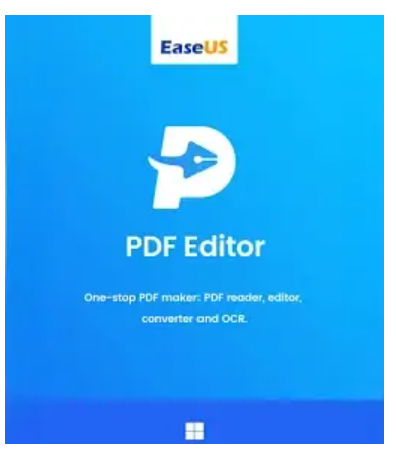
PDF files have become indispensable in everyday work – whether at the office, at school, or at home. With EaseUS PDF Editor (Lifetime Upgrades) , you have a powerful tool that does more than just view documents. You can create, edit, convert, sign, and even merge PDFs – all within a user-friendly application.
By purchasing EaseUS PDF Editor (Lifetime Upgrades) from Blitzhandel24 , you’re not only guaranteed original software with lifetime updates, but also a reliable solution that significantly simplifies your daily work with documents. This tool combines the functions of a PDF creator, reader, editor, and converter into a single package – efficient, convenient, and future-proof.
Convert PDF files to Excel, Word, PowerPoint, images or vice versa – quickly and without loss.
Edit, OCR, merge, share, compress, create and comment on your PDFs – all in one tool.
Sign the PDF, print it, encrypt it, remove passwords and add watermarks – for maximum security and control.

Creates blank PDFs or converts images, Office files, and other common formats to PDF, fully preserving original fonts, layouts, and images.

Quickly convert PDFs to DOC, DOCX, XLS, XLSX, PPT, PPTX, PNG, BMP, TIFF, JPG and JPEG – without loss of quality and while fully preserving the formatting.

Effortlessly edit the text of scanned documents. Thanks to integrated OCR, the editor recognizes content in up to 29 languages, including German, English, French, Italian, Japanese, and Korean.
| Function | Description |
|---|---|
| Search & Replace | Find specific words or phrases and replace them directly in the PDF, without having to manually scan the entire document. |
| Change the background | Uses individual backgrounds – images or colors – or completely removes existing backgrounds. |
| Bates Numbering | Assign Bates numbers to multiple PDFs to make them easier to identify and classify systematically. |
| Read a PDF | Open and read PDFs comfortably – with features like rotation, zoom and customizable display options. |
Combines multiple PDFs and images into a single file – perfect for organizing, sharing, and quickly sharing.
Reduce the size of PDF files without any visible loss of quality – ideal for emails and web downloads.
Separate large PDFs into smaller files or extract individual pages in a targeted way according to your needs.
Add text or image watermarks, adjust transparency, position and size, or remove them.
Sign documents with an electronic signature or a digital ID with time and place indications.
Print multiple PDFs at once – efficient and time-saving for recurring documents.
Configure passwords and permissions to prevent unauthorized opening, editing, copying, or printing.
With OCR, technical drawings or scanned documents can be directly transformed into editable files. Manuals and instructions can also be easily created.
With features such as electronic signature, comments and OCR, invoices, contracts or orders can be created, checked and signed efficiently.
Teachers can easily modify course materials, scripts, and registration forms, convert them, and send them directly to learners.
From customer reports to transaction summaries: Forms and management tools help optimize processes and save time.
Contracts and legal documents can be created efficiently, protected by a password and quickly assigned by batch numbers.
Whether for architects, consultants or accountants, EaseUS PDF Editor allows you to quickly create, convert and annotate documents.
| Category | Details |
|---|---|
| Operating system | Windows 11 / 10 / 8.1 / 8 / 7 |
| Supported file formats | doc, docx, xls, xlsx, ppt, pptx, png, bmp, tiff, jpg, jpeg |
| LANGUAGES | English, Traditional Chinese, Japanese, Korean, Italian, Spanish, Portuguese, German, French |
| OCR Languages | Simplified Chinese, Traditional Chinese, Czech, Danish, Dutch, English, Estonian, Faroese, Finnish, French, German, Hebrew, Hungarian, Icelandic, Italian, Japanese, Korean, Latvian, Lithuanian, Norwegian, Polish, Standard Portuguese, Romanian, Russian, Slovak, Spanish, Swedish, Thai, Turkish |

Reviews
There are no reviews yet.