Description
EaseUS Disk Copy Technician: the complete hard drive cloning and data backup solution
EaseUS Disk Copy Technician is a professional software solution designed to provide businesses and IT professionals with a simple and efficient way to manage hard drives. With this software, you can clone hard drives, back up data, and transfer it to new drives without data loss or compatibility issues. Whether you want to migrate your data, replace a damaged hard drive, or create a complete backup, EaseUS Disk Copy Technician offers the tools you need.
Functions of EaseUS Disk Copy Technician
The software offers a multitude of functions specifically designed to meet the needs of IT professionals and businesses: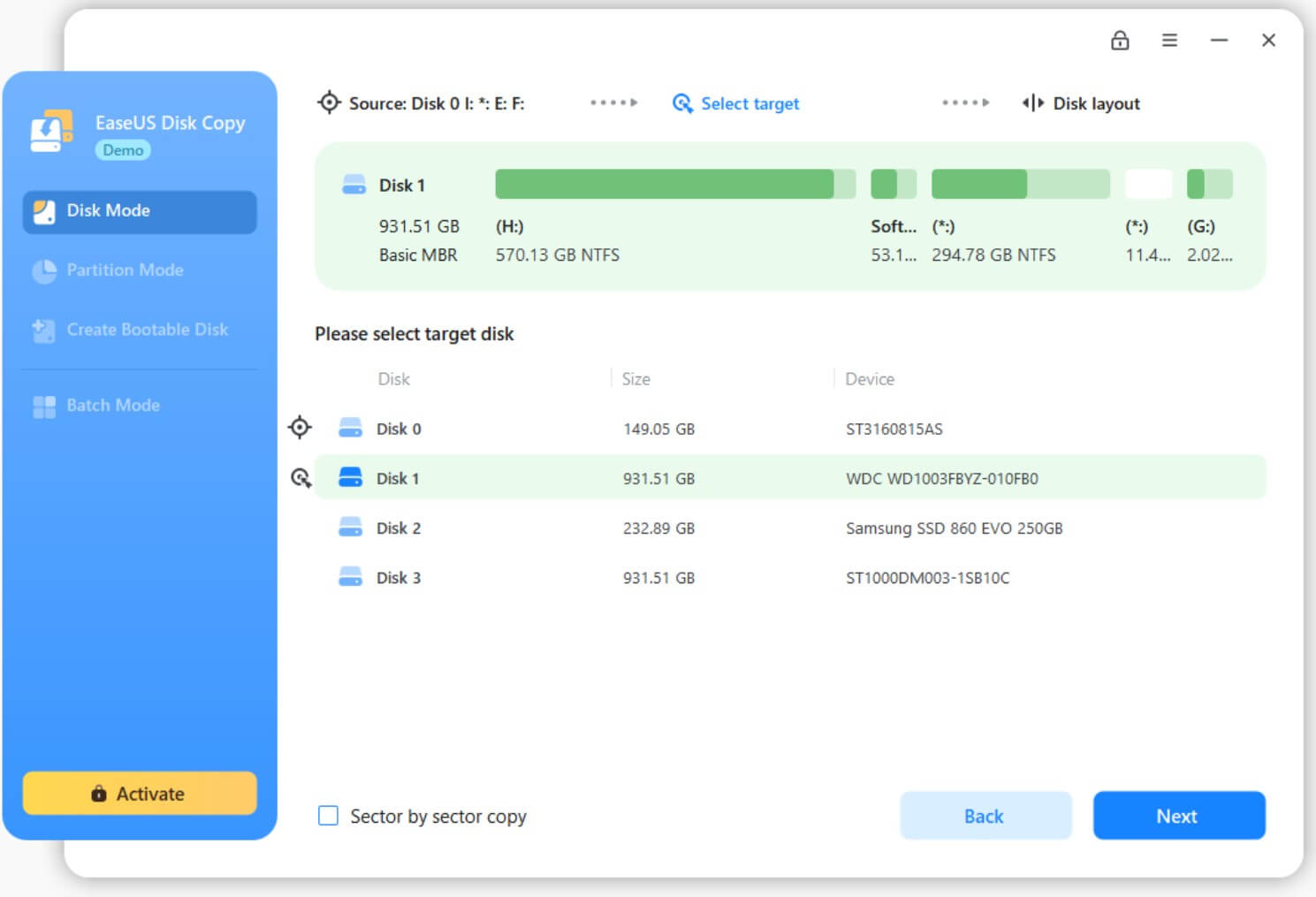
- Hard drive cloning: clones hard drives or partitions to another hard drive or SSD, including system drives.
- Data backup: create complete copies of your data so you can restore it in case of an emergency.
- Sector-by-sector cloning: copies each sector to ensure that all data is accurately reproduced.
- Bootable media: creates bootable USB drives or CDs/DVDs to run the software independently of the operating system.
- Compatibility: Supports all common file systems such as FAT, NTFS, EXT2/EXT3 and others.
Advantages of using EaseUS Disk Copy Technician
Why choose EaseUS Disk Copy Technician ? Here are some of the most important advantages:
- Ease of use: The intuitive user interface allows beginners to use it easily.
- Time efficiency: Save time with fast and efficient cloning processes.
- Reliability: minimizes the risk of data loss or system errors.
- Flexible license: Ideal for technicians and businesses that regularly work with multiple devices.
Typical use cases
EaseUS Disk Copy Technician is the perfect solution for various scenarios:
- Hardware upgrades: Transfers data from an old hard drive to a new SSD or HDD.
- Data backup: Make backups before critical system updates.
- Troubleshooting: repairs or replaces damaged hard drives.
- System migration: Migrates data and operating systems to new devices.
System requirements
| Component |
Requirements |
| Windows |
Windows 11, Windows 10, Windows 8/8.1, Windows 7, Windows Vista, Windows XP (32-bit and 64-bit) |
| RAM |
At least 1 GB |
| Processor |
At least 1 GHz or faster |
| Memory space |
200 MB of free space for installation |
 Skip to content


Reviews
There are no reviews yet.