
 Skip to content
€99,00 Original price was: €99,00.€49,00Current price is: €49,00.
Digitally delivered by email within a few minutes after payment confirmation. These are ESD digital licenses — all product keys are original and have no expiration date. They can be reinstalled on the same activated device at any time.
By purchasing this product, you will receive the digital software download from our servers along with the product key needed for software activation, as well as detailed installation instructions.
License previously used and relinquished by the former owner in compliance with CJEU ruling C-128/2011 :
100% authentic digital products with official vendor warranties, ensuring genuine licenses.
Enjoy peace of mind with a 30-day return policy on all digital products. Full refunds or exchanges for any issues.
Your payments are fully secure with our encrypted transaction network. Shop with confidence.
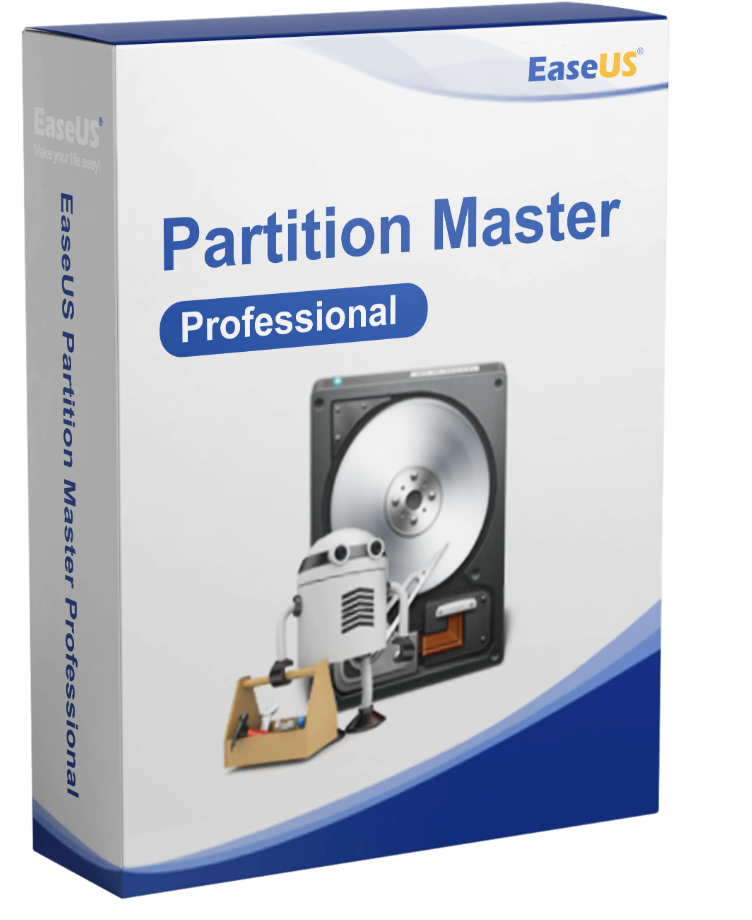
With EaseUS Partition Master Professional, managing partitions and hard drives in Windows is easy. It allows you to quickly and easily partition your hard drive to optimize performance and storage space. Partition Master Professional is therefore a flexible and highly efficient solution for everyday use, effectively boosting performance.
If your old hard drive needs to be replaced with a new one, the operating system can be migrated seamlessly. This applies not only to the system itself but also to the data it contains, ensuring safe operation. Partition Master Professional offers the right solution for the entire hard drive as well as individual partitions to guarantee a secure and efficient transfer.
Storage space can be allocated precisely according to user preferences. To achieve this, partitions can be converted into various systems, allowing for the integration of primary and logical partitions, as well as dynamic and basic conversions. The possibilities are virtually limitless, making conversion with Partition Master Professional consistently easy.
For data organization, Windows systems provide a folder structure – but this isn’t enough for many users. Therefore, various partitions exist: they bring order to the chaos of data and create individual drives for specific tasks. However, with Windows’ built-in tools, hard drive partitioning is very complicated and limited in its capabilities. By purchasing EaseUS Partition Master Professional 18.0, users have access to software that performs these tasks faster and more clearly. In addition to the organization it creates, well-partitioned hard drives offer other advantages, such as during formatting. By formatting only the system drive and leaving the data partitions intact, you save considerable time and ensure data security.
Key functions of the software include creating new partitions using unpartitioned space on the hard drive, formatting existing partitions, and completely deleting this allocated space. These three functions alone in EaseUS Partition Master Professional 18.0 already allow for extensive management of your own hard drives. Furthermore, if there is still free space, simple repartitioning is also possible. If there isn’t enough space available on a disk, it can be easily extended using a slider, while simultaneously shrinking another partition. No advanced technical knowledge is required – everything is done via an intuitive and clear user interface that even beginners can understand. An
older computer with a traditional hard drive may also need to be upgraded by installing an SSD. Generally, this involves data loss or a costly migration of all data. With EaseUS Partition Master Professional 18.0, you can entrust the migration to an automated wizard with just a few mouse clicks. Existing data is cloned and transferred flawlessly from the HDD to the SSD – resulting in significantly faster performance in Windows and other programs. EaseUS Partition Master Professional 18.0’s migration service also requires no manual input, allowing users to simply let the device run undisturbed.
Users who purchase EaseUS Partition Master Professional 18.0 can also merge existing partitions without data loss. Those who want to simplify their data organization can rest assured that data from multiple drives is merged without loss. Need to transfer existing partitions to another computer? With the copy function, EaseUS Partition Master Professional 18.0 clones entire partitions and transfers them to new PCs, laptops, or other devices. The program also supports dynamic partitions, whose size can change, thanks to its numerous management functions. Overall, it’s a solution that can perform all the usual partitioning functions in a short amount of time.
This includes changing the file system to migrate hard drives from the old FAT32 to the modern NTFS—without data loss. Furthermore, those who purchase a brand-new laptop and want to transfer their old data and all settings benefit from a complete operating system migration, including all installed programs. Users save considerable time with EaseUS Partition Master Professional 18.0: the costly reinstallation of Windows and installed applications is completely eliminated – making the new device immediately ready to use. Furthermore, the software allows for reliable data erasure, which is particularly useful when reselling hard drives.
If necessary, users who purchase EaseUS Partition Master Professional 18.0 can also recover lost or overwritten partitions. While 100% success cannot be guaranteed, as it is a very expensive process, in the best-case scenario, this function can recover data that was thought to be long lost. EaseUS Partition Master Professional 18.0 is therefore a tool that combines management, repair, and migration in a single software package. Its low system requirements also ensure that the program can be used on older PCs or laptops, improving file management and performance.
1. Complete upgrade of the WinPE desktop environment;
2. Added startup troubleshooting tools to resolve Windows startup problems with one click;
3. Added a Windows password removal tool to help users who have lost their passwords.
If you want to improve your computer’s performance or simply add storage space, upgrading to an SSD or a larger hard drive is an excellent option:
Making efficient use of available space on your hard drive can help improve the overall performance of your system:
Upgrading to the latest operating system can improve your overall experience. Here are a few steps to ensure your upgrade goes smoothly:
Thanks to partitioning, EaseUS Partition Master Professional 18.0 users always have access to a technically secure application. This allows for quick performance improvements without major modifications or difficulties. With just a few clicks in the program, you can significantly improve organization and boost performance.
The new version 18.0 includes numerous updates, allowing users to customize the system precisely to their preferences. The integration of different hard drives is also described in greater detail in this new version, eliminating the problems associated with Partition Master Professional.
Combined with Partition Master Professional, it’s possible to keep a close eye on the structure of your applications and data. Even if you relocate, you can access a wealth of data and maintain a clear overview of every detail. This makes purchasing EaseUS Partition Master much easier, allowing you to trust in the quality of its applications.
Partition Master Professional simplifies the management of hard drives and individual partitions. For targeted storage space organization, this program is a good choice and offers straightforward solutions.
Both private and professional users can rely on the program’s ease of use. This makes hard drive partitioning much easier and reduces the burden on existing systems.
Partitioning allows you to transfer individual areas of the hard drive and work with secure solutions. This is especially important when repairing or relocating the device, when it’s not the entire hard drive.
With Partition Master Professional, it’s easy to intelligently analyze existing partition structures and find the right solutions in just a few clicks. This allows you to improve the structure of your entire hard drive in no time.
If you wish to purchase EaseUS Partition Master, you can obtain a single license from us for unlimited use. To allow multiple users to familiarize themselves with the program, it is best to purchase additional licenses to ensure protection in case of system migration or other component changes.
If moving or resizing an NTFS partition fails due to a hardware error or power outage, this feature ensures that nothing is broken. In this case, the hard drive is automatically restored to its previous configuration.
Need to replace your old hard drive with a new one? Clone an HDD to an SSD? Transfer data from one partition to another? Remove a damaged drive? EaseUS Partition Master Professional can help with all of these. The wizard can clone an entire hard drive or individual partitions and transfer them to another. This allows you to transfer all your data from one source and then easily modify or exchange it. Your data is always safe.
Make sure there is enough free space on the target hard drive. Then you can boot directly from the target hard drive/partition and reorganize, format, or delete the old one—all with a single tool.
Organize your storage space however you like.
Primary and logical partitions
: Partition into different primary and logical partitions, convert primary to logical, and logical to primary, as you wish.
MBR and GPT Partitions
: Convert MBR to GPT and vice versa to ensure the stability and efficiency of your hard drive.
FAT and NTFS Partition
Conversion: Easily and quickly convert FAT32/FAT18/FAT12 partitions to NTFS.
Dynamic and Basic Volumes
: Convert dynamic volumes to basic volumes or vice versa without deleting any volumes or partitions.
MBR and GPT Disks:
Easily modify MBR and GPT disks without deleting any partitions.
If you want to install a new hard drive, create a new partition, or reinstall a hard drive/partition, you must format it. This process will check the hard drive for errors and prepare it for use. If important data is on the volume, back it up first before proceeding. EaseUS Partition Master will then format your volume as you specify.
Easy, fast, safe and according to your wishes: enlarge, reduce, create, format, clone, merge, delete, check…
Clone a hard drive/partition.
Clone your partitions to reorganize them or even the entire hard drive to replace or upgrade it.
Recover lost partitions
Recovers deleted or lost partitions.
Merge partitions.
Combine two or more partitions into one larger partition without losing data. Or split the partitions.
Check the partition.
Check your partitions for errors and explore the legacies that have accumulated in the file system.
Hide/delete a partition
. Hide or delete partitions. This frees up storage space and allows you to reliably destroy sensitive data.
Change the names of your scores.
Change the names and letters of your scores as you wish. This way, you always have an overview.
A wide range of features for organizing your hard drive
4K SSD Alignment:
Properly align your SSD for maximum performance. You’ll enjoy increased speed.
Clean and optimize:
Automatically removes junk files and large files to free up space and optimize your hard drive’s performance.
Supports command line.
With the command line, professionals can give simple and direct instructions to their hard drives.
Create a WinPE bootable medium.
Create a WinPE bootable medium and save your Windows system when it no longer boots.
Operating systems
Storage devices
File system
Supported file systems
Material requirements

Reviews
There are no reviews yet.