 Skip to content

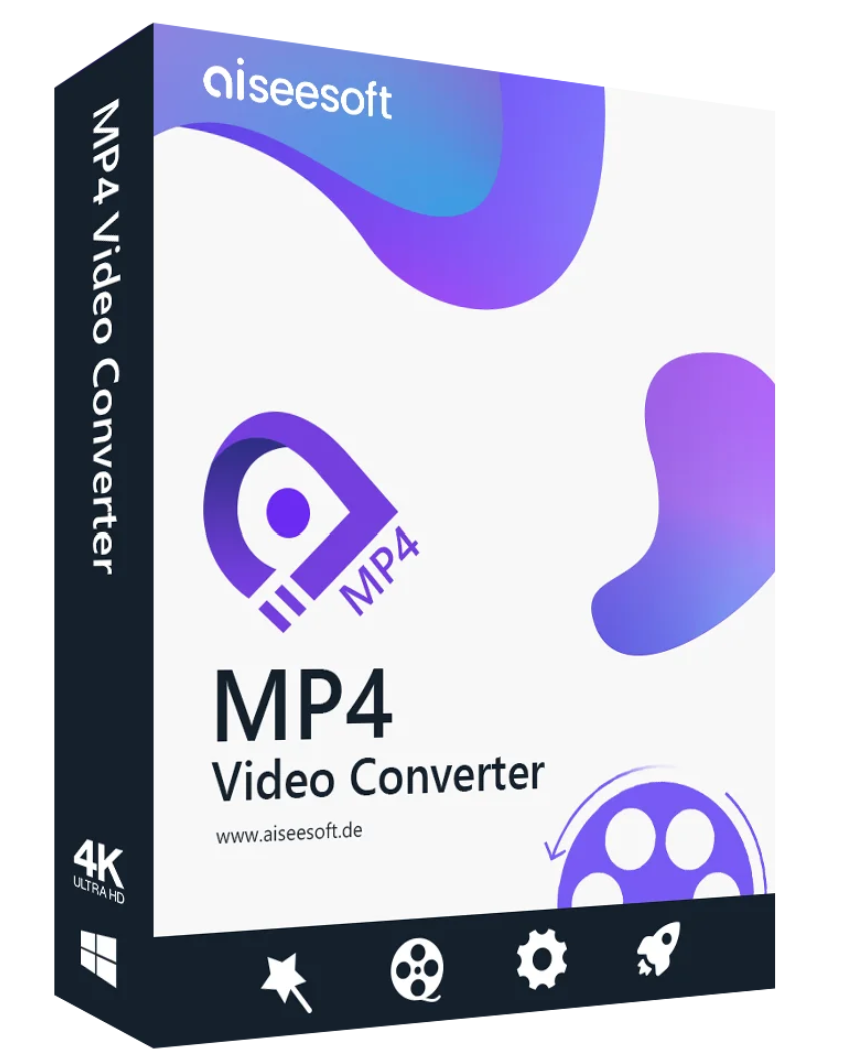
Aiseesoft MP4 Video Converter – Simply the best way to convert any video file to the popular MP4 format used by digital camcorders, smartphones, tablets and video sharing sites.

With Aiseesoft MP4 Converter , converting video files in WMV, MOV, FLV, MKV, and other video formats to MP4 has never been easier. MP4 is a widely accepted format that works on most electronic devices. Several MP4 encoding formats are available, including MPEG-4 HD video (*.mp4), H.264/MPEG-4 AVC HD video (*.mp4), Samsung Galaxy Note 3 (*.mp4), iPhone 11 Pro Max/11 Pro/11/XS/XS Max/XR/X/8/8 Plus/7/7 Plus/6 Plus H.264 HD Video (*.mp4), YouTube HD Video (*.mp4), and more.
 Extract an audio track from a video file with Aiseesoft MP4 Video Converter
In addition to converting video files to MP4 format, one of the useful features of this MP4 converter is that you can easily extract audio tracks from your video files and save them in a range of standard audio formats such as MP3, OGG, M4A, AAC, AC3, AIFF, AMR, AU, MP2, DTS, M4R, M4B, and MKA. Audio tracks can also be saved in lossless audio formats like FLAC, ALAC, WAV, and WMA. MP4 Converter also converts audio files from one format to another.

Aiseesoft MP4 Video Converter offers a wide selection of ready-to-use profiles for most common digital devices, so you can choose the output video format simply by selecting the device name. Supported devices include iPhone 11 Pro Max/11 Pro/11/XS/XS Max/XR, iPhone X, iPhone 8/8 Plus, iPhone 7/7 Plus, iPhone SE, iPhone 6, iPhone 6 Plus, iPad Air Pro, iPad mini 4, PS4, Xbox One, Samsung Galaxy Note 3, Samsung Galaxy S4, and more.
 Aiseesoft MP4 Video Converter has powerful video editing and enhancement features.
With Aiseesoft MP4 Video Converter , you can easily adjust the brightness, saturation, contrast, hue, and volume of videos. The deinterlacing function converts interlaced video into higher-quality progressive video. The intuitive user interface makes it easy to merge multiple videos, trim video length, crop video frames, and add image or text watermarks to the final output video. With the latest enhancement features, you can also upscale resolution, remove video noise, reduce video shake, and much more.
Supported operating systems: Windows 11, Windows 10, Windows 8.1, Windows 8, Windows 7, Windows Vista, Windows XP (SP2 or higher)
CPU: 1GHz Intel/AMD CPU or higher
RAM: 1GB RAM or more
Supported input file formats
: 4K UHD Video formats: MP4, TS, MKV, AVI, FLV, WebM, MOV, MXF, AVI
4K UHD Encoding: H.265/HEVC, H.264, MPEG, XviD, VP8, VP9
Video: 3GP (*.3gp;*.3g2), AVI, DV files (*.dv;*.dif), Flash files (*.flv;*.swf;*.f4v), MOD, MJPEG (*.mjpg;*.mjpeg), MKV, MPEG (*.mpg;*.mpeg;*.mpeg2;*.vob;*.dat), MPEG4 (*.mp4;*.m4v), MPV, QuickTime files (*.qt;*.mov), Real Media files (*.rm;*.rmvb), TOD, Video Transport Stream files (*.ts;*.trp;*.tp), Windows Media files (*.wmv;*.asf)
HD Video Files MPEG2 HD (*.mpg;*.mpeg), MPEG4 HD files (*.mp4), QuickTime HD files (*.mov), WMV HD video files (*.wmv), HD TS, HD MTS, HD M2TS, HD TRP, HD TP
Audio AAC, AIFF files (*.aif;*.aiff), CUE, FLAC, M4A, MPEG files (*.mp3;*.mp2), Monkey’s Audio files (*.ape), Ogg, Raw AC3 files (*.ac3), Real Audio files (*.ra;*.ram), SUN AU files (*.au), WAV, WMA
Supported output file formats
Video 3GP, 3G2, AVI, DivX Video (*.avi), FLV, H.264 Video (*.mp4), H.264 AVI (*.avi), H.264/MPEG-4 AVC Video (*.mp4), M4V, MOV, MPEG-1 Video (*.mpg), MPEG2 Video (*.mpg), MPEG-4
Video (*.mp4), WMV, MPEG2-TS HD Video (*.ts), H.264 HD Video (*.mp4),
HD H.264 TS Video(*.ts), 4K AVI Video(*.avi)
, WMA
Supported devices
Apple iPhone XS, iPhone XS Max, iPhone XR, iPhone X, iPhone 8, iPhone 8 Plus, iPhone 7, iPhone SE, iPhone 6s, iPhone 6s Plus, iPhone 6 Plus, iPhone 6, iPhone 5s/5c, iPhone 5, iPhone 4S/4, iPhone 3GS, iPad Air 2, iPad mini 3, iPad Air, iPad mini 2, iPad mini with Retina display, iPad mini, iPad 4, the new iPad, iPad 2, iPod touch 7, iPod touch 6, iPod touch 5, iPod touch 4, iPod touch 3, iPod touch 2, iPod touch, Apple TV,
Android, Samsung Galaxy, Google, Motorola, LG, Sony, etc.,
Windows Phone, Nokia, Samsung, etc.,
Gaming hardware: PS4, PS3, PSP, Xbox
, Other: Nokia, BlackBerry, Palm
Supported operating systems: Mac OS X 10.7 or later (including macOS Big Sur and macOS Monterey)
Processor: 1 GHz Intel® processor and Apple M1 chip
RAM: 1GB of RAM or more
Supported input file formats
Video MPG, MPEG-1, MPEG-2, MPEG-4, MJPG, MJPEG, VOB, DAT, MP4, DivX, XviD, WTV, MXF, M4V, TS, MTS, M2TS, RM, RMVB, WMV, ASF, MKV, AVI, 3GP, 3G2, F4V, FLV, SWF, MPV, MOD, TOD, QT, DV, DIF, TP, TRP, WebM
Video HD TS, MTS, M2TS, MPG, MPEG, MP4, WMV, QuickTime HD MOV
Audio MP3, MP2, AAC, AC3, WAV, WMA, M4A, RM, RAM, OGG AV, AIF, AIFF, APE, FLAC, CUE
Supported output file formats
Video H.264/ MPEG-4 AVC,
MP4, Divx
, AMR, AU, FLAC, M4A, MKA, MP2, MP3, OGG, WAV, WMA
Instant Image JPG, PNG, BMP
Supported Devices
Apple iPhone 11 Pro Max/11 Pro/11, iPhone XS, iPhone XS Max, iPhone XR, iPhone iPhone 5, iPhone 4S/4, iPhone 3GS, iPhone, iPad Air 2, iPad mini 3, iPad Air, iPad mini 2, iPad mini with Retina display, iPad mini, iPad 4, the new iPad, iPad 2, iPod touch 7, iPod touch 6, iPod touch 5, iPod touch 4, iPod touch 3, iPod touch 2, iPod touch, Apple TV,
Android, Samsung Galaxy, Google, Motorola, LG, Sony,
Windows Phone, Nokia, Samsung,
Gaming hardware: PS4, PS3, PSP, Xbox,
Other: Nokia, BlackBerry, Palm

Reviews
There are no reviews yet.