 Skip to content

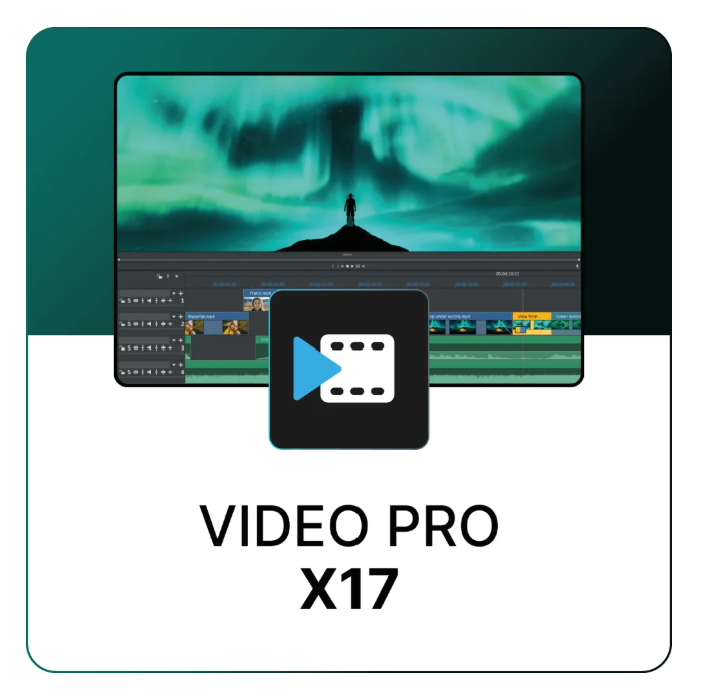
With MAGIX Video Pro X17, you’re choosing a powerful video editing solution that fully meets the needs of demanding creators and professional editors. Whether for documentaries, event films, or creative film projects, Video Pro X17 offers maximum control at impressive speed. The revised engine allows for significantly smoother workflows, while an expanded toolset provides even greater creative freedom. The ideal companion for anyone who refuses to settle for mediocrity.
Video Pro X17 features a clean and organized interface and tools that simplify your daily workflow – from multi-format timelines and GPU-accelerated exporting to high-precision color correction. Inspired by the interplay of light and shadow in the aurora borealis, the software’s visual design perfectly reflects its promise: unleashed creativity.
Everything you need to get started, all in one place. Video Pro X17 contains all the features of Video Deluxe and offers intuitive tools and powerful features for professional results – no shortcuts.

More possibilities to adjust colors precisely and create your own look.

Precise audio tools for a perfect balance between sound and image.

Compatible with a multitude of professional formats – secure, flexible and powerful.
Discover the latest generation of Video Pro X – with smart tools that save time for an even more efficient workflow. New features bring not only speed, but also greater convenience and creativity to your projects.
Let AI work for you: Thanks to automatic sorting, indexing and intelligent organization, you’ll find your clips faster – perfect for large projects with many assets.
Keep your audience engaged with dynamic subtitles that visually highlight each word. Ideal for tutorials, vlogs, and accessible content.
Enhance the sharpness and contrast of your photos and videos for crystal-clear results in just one click. Ideal for blurry or low-contrast photos.

Transform your text input into natural-sounding speech – without needing a speaker. Supports over 100 languages and various speech styles for personalized pronunciation.

Accurately transform speech into editable text and automatically create subtitles that make your content accessible to a wider audience.

Record complex scenes and seamlessly insert them into new projects. This allows you to work modularly and avoids having to recreate recurring sequences each time.

Combines multiple clips into a single editable unit – ideal for transitions, intros, or repetitive sections. Saves time and simplifies editing.

Creating looks – Precision
Compatibility – flexibility
| Category | Recommended for HD | Recommended for 4K | Recommended for AI |
|---|---|---|---|
| Operating system | Windows 10 | 11 | Windows 10 | 11 | Windows 10 | 11 |
| CPU | Intel Core i5 (6th generation) or equivalent AMD, 2.5 GHz, 4 cores | Intel Core i5 (6th generation) or equivalent AMD, 2.5 GHz, 4 cores | Intel Core i7 (10th generation) or equivalent AMD or newer |
| GPU | GeForce RTX/GTX 9XX series, Radeon with 4GB | GeForce RTX/GTX 9XX series (8GB RTX recommended), Radeon with 4GB | GeForce RTX 20xx or Radeon RX 5xxx or newer |
| RAM | 16 GB | 32 GB | 32 GB |
| Hard drive | 1.5 GB for installation | 1.5 GB + SSD or high-speed RAID | 1.5 GB + SSD recommended |
| Import – video | AVC-Intra*, AVI, DV-AVI, DVCPRO*, MJPEG, MKV, MPEG-2/4 (HEVC/H.265*), AV1, MOV, MVC, MXF, WMV | ||
| Import – audio | MP3, OGG, WAV, WMA | ||
| Import – image | BMP, GIF, JPEG, PNG, TIF, TGA, HEIF | ||
| Export – video | AVI, DV-AVI, MJPEG, MPEG-2/4 (HEVC/H.265*), AV1, WMV | ||
| Export – audio | MP3*, WAV | ||
| Export – image | BMP, JPEG, PNG, BMP sequence | ||
| Other formats | DVD, Blu-ray, AVCHD disc | ||
| Resolutions | SD, HD, 4K, 8K (max. HD disc) | ||
| Remarks | *DVCPRO, AVC-Intra, and HEVC/H.265 may require paid activation. *MP3 export requires Windows Media Player version 10 or later. |
||
| Additional information | Internet connection required for downloading, recording, and certain features. One-time online activation required. Proxy workflow recommended for 4K/8K hardware on HD systems. Available languages: German, English, French, Dutch. |
||
Reviews
There are no reviews yet.