
179.00 € Original price was: 179.00 €.89.00 €Current price is: 89.00 €.
Digitally delivered by email within a few minutes after payment confirmation. These are ESD digital licenses — all product keys are original and have no expiration date. They can be reinstalled on the same activated device at any time.
By purchasing this product, you will receive the digital software download from our servers along with the product key needed for software activation, as well as detailed installation instructions.
License previously used and relinquished by the former owner in compliance with CJEU ruling C-128/2011 :
100% authentic digital products with official vendor warranties, ensuring genuine licenses.
Enjoy peace of mind with a 30-day return policy on all digital products. Full refunds or exchanges for any issues.
Your payments are fully secure with our encrypted transaction network. Shop with confidence.
Main applications
Content
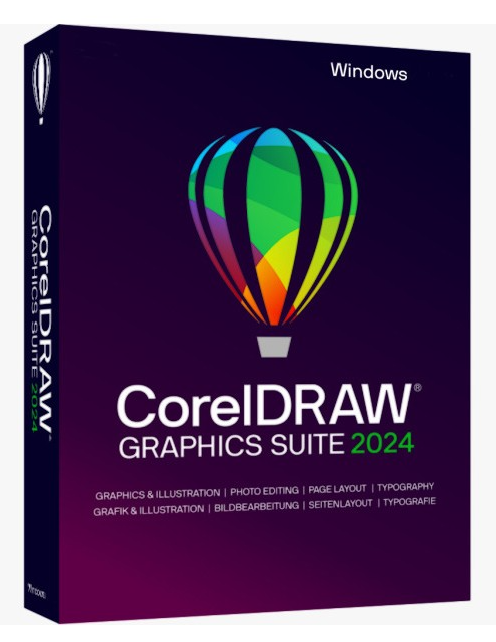
CorelDRAW 2024 Graphics Suite
100 new paintbrushes in all styles, pixel-based and incredibly realistic, are ready for your next graphic adventure. The technology is based on the renowned Corel® Painter®. Try the new CorelDRAW brushes now.
The new online fonts make choosing the most beautiful font even easier. The docked window/information panel for “Effects” has also been redesigned, making collaboration between Corel PHOTO-PAINT and CorelDRAW much simpler.
In addition, many detailed optimizations have been made to the most popular tools, also based on your feedback, in order to further improve working with CorelDRAW.
Vector illustration
Use CorelDRAW’s powerful vector illustration tools to transform simple lines and shapes into complex works of art. Versatile modeling and drawing tools let you create curves and lines. Effects tools such as Stroke, Envelope, Gradient, and Mesh Fill allow you to add unique effects to your vector graphics.
Page layout
You’ll have access to all the tools you need to create layouts for brochures, multi-page documents, and more. You can choose between single-page or multi-page processing, depending on your needs.
Typography
A comprehensive set of typographic tools allows for perfect character layout. Expand your text with effects such as block shadows and outlines, individually adjust character weight and width with variable character support, align text along a path, and much more.
Character handling
Corel Font Manager’s intuitive features let you organize and manage your fonts and use your favorites without installing them. Network storage speeds up font management. You also have direct access to over 1,400 Google Font families.
Image modification
Corel PHOTO-PAINT’s powerful, level-based image editing tools let you adjust color and tone, remove imperfections, correct perspective, and more. Exclusive AI-powered features enhance image size and quality. Plus, use AfterShot HDR to create stunning HDR photos from your RAW images.
Cooperation
The cloud-based workflow brings clients and colleagues together in real time: coordination and approvals happen directly from your layout. You can collect real-time feedback and notes from all employees and stakeholders.
centrally in the CorelDRAW design file and respond immediately to comments.
Specifications
This is an educational version license
For more specific information about the product, you can access this link: https://www.coreldraw.com/it/product/coreldraw/
Reviews
There are no reviews yet.