
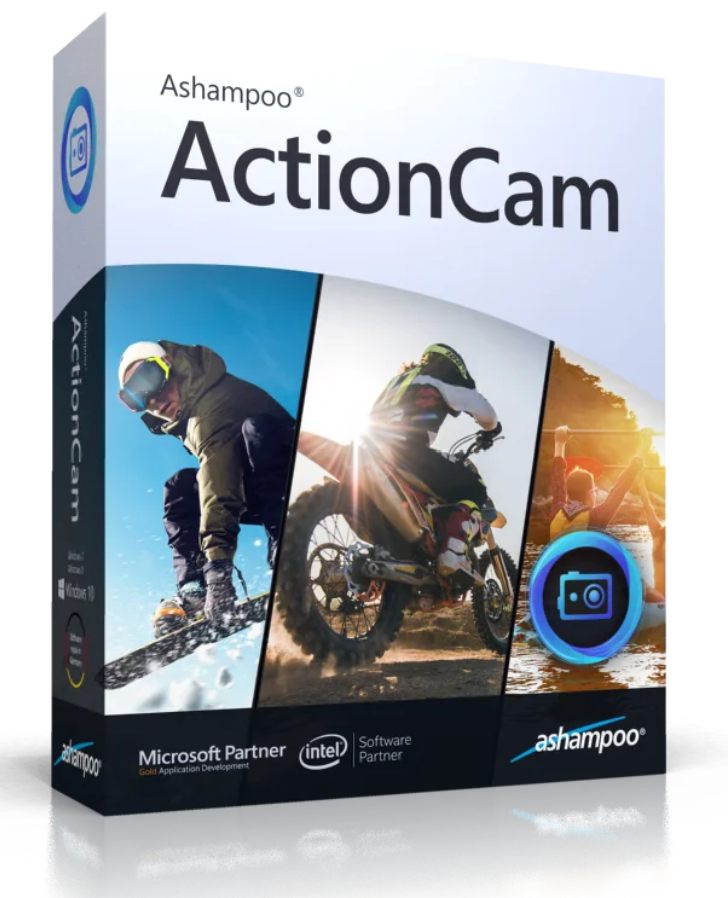
Action cams are everywhere, even when things get hectic and events unfold quickly. This often results in shaky videos because the camera couldn’t stabilize them. It looks dynamic, but it’s also tiring to watch later. That’s why Ashampoo ActionCam features the latest generation of video stabilization! Even videos shot while moving or handheld get a smoother, more realistic camera image—at maximum resolution, of course!
Wide-angle and fisheye lenses make you feel like you’re right in the middle of the action and you won’t miss a thing. When watching video on a computer or television, many people wish they could switch to a standard lens. Ashampoo ActionCam calculates the distortion effortlessly! This video editing software includes several built-in profiles for popular cameras like the GoPro line and delivers a distortion-free, realistic image with just one click!
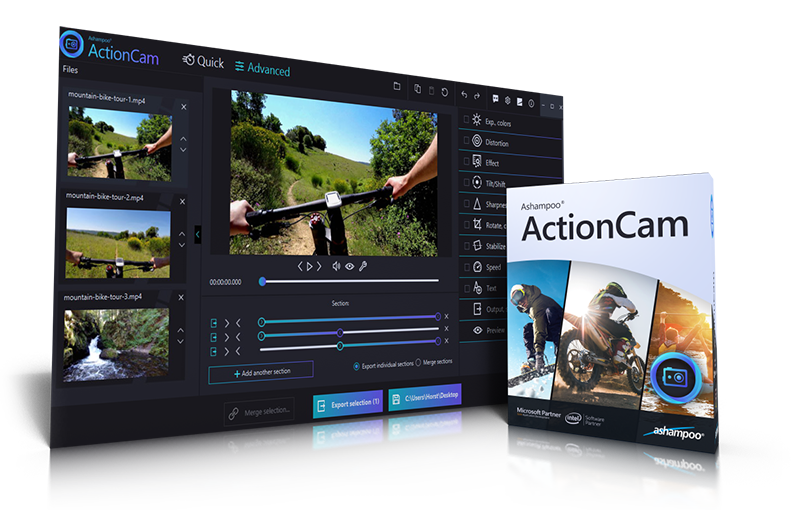
Next, enhance video quality by fine-tuning contrast and color. With just a few clicks, your recordings will look more vibrant, realistic, and engaging. White balance can make videos appear warmer or cooler, while selectively adjusting brightness, hue, shadows, and highlights creates unique image accents. Regardless of the source, your videos will benefit from a whole new look thanks to multi-layered optimization! That’s how powerful Action Cam video editing can be!
Focusing isn’t always perfect for fast-paced shots, and sharpness may also need improvement for drone flights. Ashampoo’s ActionCam delivers highly effective sharpness, eliminating even the last traces of blur in the image. And to get you back into the action quickly, you can enhance multiple video files at once—the convenient batch processing makes it possible!
Some programs have huge editors that take a long time to learn. But this Action Cam editing program has exactly what you really need! Simply rotate and tilt your videos 90/180/270 degrees or any angle you want. You can also easily trim to a specific area. Export only the best moments of your video or merge multiple photos and videos into a single clip!
Often, videos only receive the finishing touch with inserted commentary or special effects. Ashampoo ActionCam lets you easily add text or use impressive effects like the tilt-shift filter. Here, a special look is created by selective blurring, making real landscape footage resemble miniatures. Unleash your creativity and emphasize where it has the most impact!
Ashampoo ActionCam can also adjust the video playback speed. Most action cameras record at 60 frames per second or higher, which provides ample opportunity for captivating slow-motion footage. Of course, this also allows for impressive time-lapses, making it possible, for example, to speed up less important sections without needing additional editing.
But you can’t just edit GoPro or other action cam videos. Drones offer us stunning views that were reserved for pilots just a few years ago. With Ashampoo ActionCam, you can quickly and easily edit drone videos. Camera shake is particularly common, color and sharpness aren’t always optimal, and contrast needs improvement. In just a few clicks, Ashampoo ActionCam takes care of these issues and gives your astronomers the best possible image!
| Functions | |
| Powerful contrast and color optimization |
●
|
| Visual effects with fascinating results |
●
|
| Miniature effect thanks to the Tilt-Shift filter |
●
|
| Fisheye effect and wide-angle distortion removal |
●
|
| Ready-made profiles of the most popular Action Cams |
●
|
| Stabilizes shaky images very effectively and reliably |
●
|
| Automatic sharpening for a completely new visual experience |
●
|
| Sophisticated slow motion and fast motion thanks to a modified playback speed |
●
|
| Convenient addition of text |
●
|
| Easily cut and join videos |
●
|
| Save time by batch processing multiple films at once |
●
|
| Ideal for editing drone videos |
●
|
 English
 English
 Dutch (Guy Raedersdorf)
 French
 Hungarian (László Koncz)
 Russian
 Polish (Artur Krupa)
 Italian
 Spanish
 Swedish (Olle Ohlsson)
 Turkish (çağdaş Tatar)
 Czech (Libor Divis)
 Portuguese (Brazilian) (Josè Carlos Taveira)
 Traditional Chinese (Alan)
 Romanian (Andrei Grigorcea)
 Catalan (Joan Queralt)
 Slovak (Milan Slovák)
 Finnish (Veikko Muurikainen)
 Spanish (Argentina) (Angel De Giorgi)
Windows® 10, Windows® 8, Windows® 7
software:Windows Media Player 10
.NET Framework 4.0
Processor:DVD-quality processing/production – dual-core processor with at least 2.4 GHz
High-quality HD editing/production Intel Core i5/i7 or similar quad-core processors
Working memory (RAM):DVD quality, at least 2 GB of free memory
HD quality: at least 4 GB of free memory
Ideal: 8 GB of memory or more
Video card:DirectX 9
Pixelshader v2.0
Min. 128 MB of RAM.
Min. 1280 x 1024
Miscellaneous :An internet connection is required to activate the program. The program license is checked at regular intervals.
An internet connection is required for some services.
Reviews
There are no reviews yet.