
99.99 € Original price was: 99.99 €.79.00 €Current price is: 79.00 €.
Digitally delivered by email within a few minutes after payment confirmation. These are ESD digital licenses — all product keys are original and have no expiration date. They can be reinstalled on the same activated device at any time.
By purchasing this product, you will receive the digital software download from our servers along with the product key needed for software activation, as well as detailed installation instructions.
License previously used and relinquished by the former owner in compliance with CJEU ruling C-128/2011 :
100% authentic digital products with official vendor warranties, ensuring genuine licenses.
Enjoy peace of mind with a 30-day return policy on all digital products. Full refunds or exchanges for any issues.
Your payments are fully secure with our encrypted transaction network. Shop with confidence.
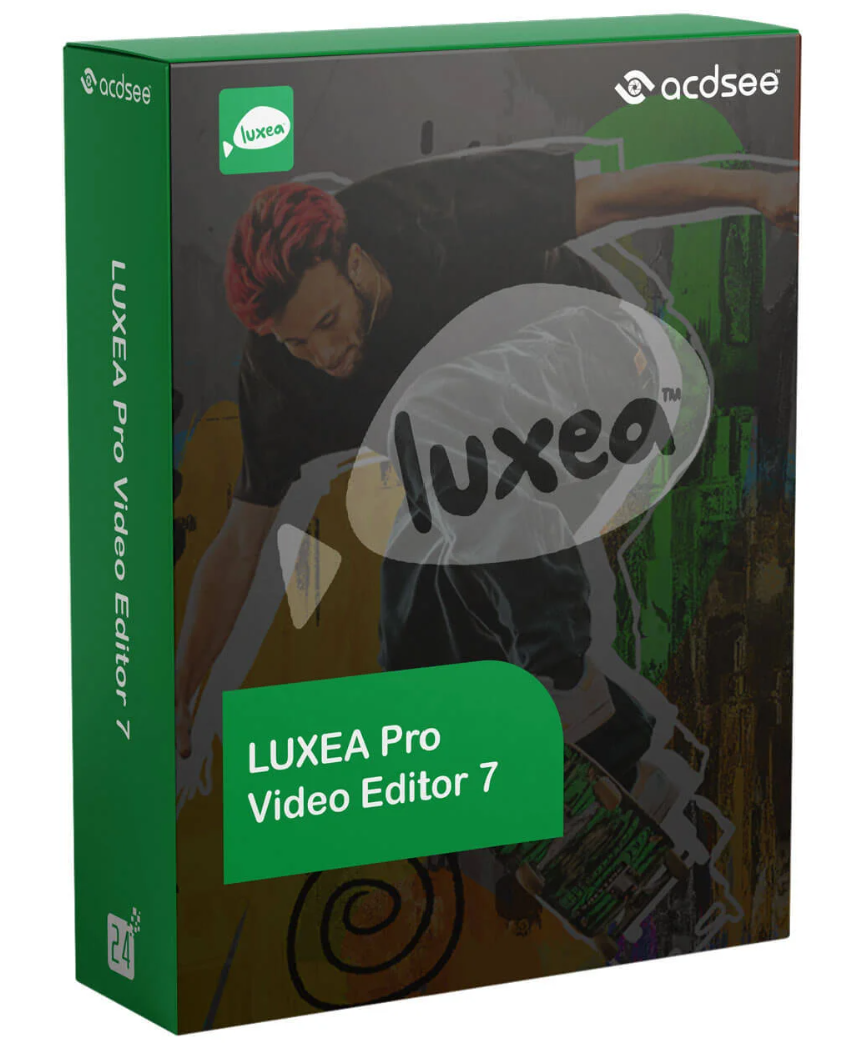
The world of video editing has grown exponentially in recent years. More and more people are discovering their creative abilities and sharing their stories and ideas through video. If you’re looking for powerful video editing software that offers all the tools and features you need to bring your visions to life, then ACDSee LUXEA Pro Video Editor 7 from ACDSee is the right choice for you.
ACDSee LUXEA Pro Video Editor 7 isn’t just a simple video editing software. It’s a complete tool that lets you create professional videos that will impress your audience. Here are some of the reasons why you should buy ACDSee LUXEA Pro Video Editor 7:
With ACDSee LUXEA Pro Video Editor 7, you have access to a wide range of video editing tools that will help you take your videos to the next level. From simple editing and trimming to advanced effects and transitions, this editor offers it all.
ACDSee LUXEA Pro Video Editor 7 features an intuitive and user-friendly interface. You don’t need to be an expert to create impressive videos. With this editor, you can get started right away and unleash your creativity.
Thanks to the advanced technology behind ACDSee LUXEA Pro Video Editor 7, you can be sure your videos will be of the highest quality. At the same time, the editing speed remains high, allowing you to work efficiently.
ACDSee LUXEA Pro Video Editor 7 offers numerous advantages that set it apart from other video editing software. Here are some of the most important advantages in detail:
With this editor, you can add professional effects and transitions to your videos to make them more attractive and engaging. Give your projects a professional touch that will impress your viewers.
ACDSee LUXEA Pro Video Editor 7 is versatile and supports a wide variety of video and audio formats. You don’t have to worry about whether your files are compatible—this editor can handle most common formats.
For those who want to work in 4K quality, ACDSee LUXEA Pro Video Editor 7 is the ideal choice. You can edit videos in stunning 4K resolution and achieve crisp, impressive results.
AI Video Enhancement is a revolutionary feature that takes ACDSee LUXEA Pro Video Editor 7 to the next level. Using artificial intelligence, the editor can automatically improve the image quality of your videos. This means that even low-resolution or low-light recordings can be optimized for crisp, impressive results. AI Video Enhancement saves you time and effort while delivering professional-quality results.
With the introduction of 3D text and titles, you can add a new dimension to your videos. Create impressive text effects that seem to leap off the screen. The 3D text and titles feature offers numerous customization options to give your videos an individual touch and emphasize your message.
Color correction is a crucial step in video editing, and ACDSee LUXEA Pro Video Editor 7 makes it easier than ever. The enhanced color correction feature lets you precisely adjust colors and influence the mood of your videos. Achieve professional results and give your videos the look you want.
If you already use LUXEA Pro Video Editor, you can easily update to the latest version directly within the software. Follow the instructions to enjoy the new features.
ACDSee LUXEA Pro Video Editor 7 from ACDSee is the ultimate solution for anyone seeking top-quality, professional video editing. With its powerful features, simple user interface, and versatility, it’s the top choice for video editors worldwide. The new features in ACDSee LUXEA Pro Video Editor 7 set new standards for video editing. With AI video enhancement, 3D text and titles, and improved color correction, you have even more possibilities to create stunning videos. Upgrade your editor today or purchase the latest version and take your video editing to the next level. Use these exciting features to bring your creative ideas to life and create impressive videos that will thrill your audience!
Intel® Core™ i3 or AMD Ryzen™ (2GHz or faster)
8GB RAM (16GB RAM recommended)
DirectX 10 compatible graphics adapter
1920 x 1080 screen resolution
4GB available hard disk space (an SSD is recommended for HD and 4K video editing)
Microsoft® Windows® 7 (SP1), Windows® 8.1, Windows® 10 & Windows® 11 (64-bit editions only)
Microsoft® DirectX® 10 or higher
Image formats: JPG, JPEG, GIF, BMP, PNG, HEIC, DNG, TIFF
Audio formats: WMA, MP3, AAC, WAV, AC3, OGG, M4A
Video formats: AVI, MP4, WMV, FLV, MOV, TS, MTS, M2TS, ASF, M4V, MPG, MPEG
MP4, MOV, MP3, M4V, WebM, GIF


Reviews
There are no reviews yet.