
99.99 € Original price was: 99.99 €.39.00 €Current price is: 39.00 €.
Digitally delivered by email within a few minutes after payment confirmation. These are ESD digital licenses — all product keys are original and have no expiration date. They can be reinstalled on the same activated device at any time.
By purchasing this product, you will receive the digital software download from our servers along with the product key needed for software activation, as well as detailed installation instructions.
License previously used and relinquished by the former owner in compliance with CJEU ruling C-128/2011 :
100% authentic digital products with official vendor warranties, ensuring genuine licenses.
Enjoy peace of mind with a 30-day return policy on all digital products. Full refunds or exchanges for any issues.
Your payments are fully secure with our encrypted transaction network. Shop with confidence.
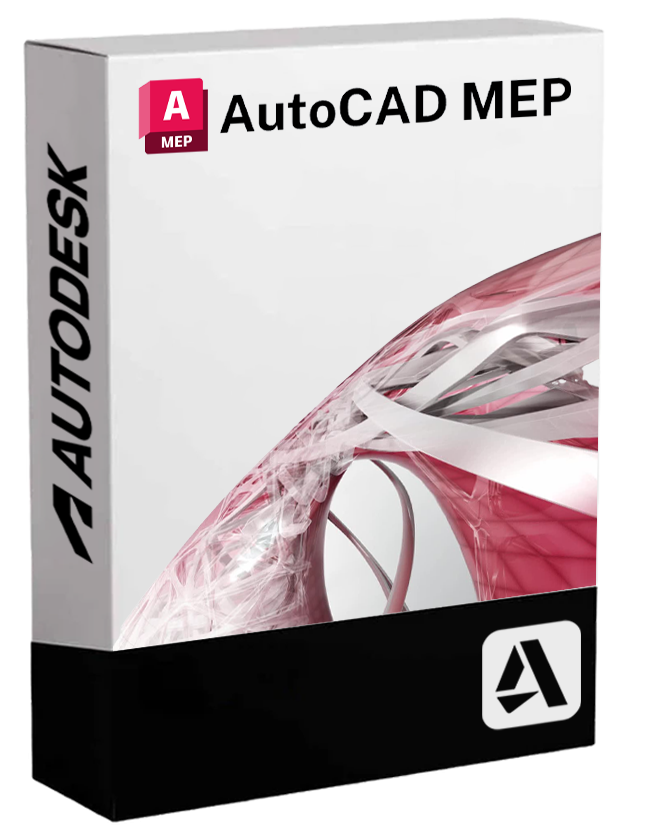
Autodesk AutoCAD MEP is the specialized version of AutoCAD dedicated to the design of mechanical, electrical, and plumbing (MEP) systems. It is an essential tool for building engineers, MEP designers, and technical building professionals, enabling the creation of detailed technical drawings and intelligent 2D and 3D models, improving efficiency, accuracy, and collaboration on construction projects.
Developed to meet the specific needs of the facilities industry, AutoCAD MEP offers advanced features, pre-configured libraries, and automated tools that optimize every phase of design, from creation to technical documentation.
🔧 Main features included
• Smart objects MEP
The components of the installations (air ducts, piping, electrical conduits, terminals, equipment) are intelligent objects that dynamically update themselves and interact with each other, ensuring consistency and speed in design.
• 🧱 Complete and configurable libraries
AutoCAD MEP includes ready-to-use catalogs of ducts, pipes, fittings, valves, HVAC equipment, electrical panels, and much more, all compliant with industry standards. The libraries are customizable to suit specific design needs.
• 🔄 Interdisciplinary coordination and collaboration
It supports collaboration between MEP designers, architects and structural engineers, facilitating integration with AutoCAD Architecture, Revit and other Autodesk tools through the use of the DWG format and IFC compatibility.
• 📏 Automatic drawing and documentation tools
Enables the automatic generation of sections, views, details, and charts. Technical drawings are dynamically updated based on changes to the installation model.
• ⚙️ Interference management and route verification
Integrated tools for clash detection and for optimizing installation routes in shared spaces, improving design quality and efficiency.
• 📝 Creation of technical reports and material lists
AutoCAD MEP allows automatic export of material lists, component lists, and system reports to simplify the procurement and construction phase.
💻 Compatibility and operating systems
AutoCAD MEP is available exclusively for Windows environments . There is no native version for macOS , but the software can be used on Mac systems via virtualization with tools like Parallels Desktop , VMware Fusion , or through Boot Camp (only on Intel Macs).
⚙️ Recommended equipment
To fully utilize the advanced features of AutoCAD MEP, a mid-range to high-end hardware configuration is recommended:
• Operating system : Windows 10 or 11 (64-bit)
• Processor : Multi-core of at least 3.0 GHz (Intel i7 or AMD Ryzen 7 recommended)
• RAM : Minimum 16 GB (32 GB recommended for complex projects)
• Graphics card : DirectX 12 compatible, at least 4 GB of video memory (professional GPUs such as NVIDIA Quadro or AMD Radeon Pro are preferred)
• Disk space : 10 GB free for installation
• Screen resolution : 1920×1080 or higher for a detailed view of the project
👨🔧 Who is AutoCAD MEP suitable for?
• Installation Engineers
Perfect for those involved in the design and modeling of HVAC, electrical, and hydraulic systems in residential, commercial, and industrial buildings.
• MEP design studies
A fundamental tool for technical teams who need to produce consistent, detailed, and construction-ready documentation.
• 🏢 Construction companies and subcontractors
Useful in the execution phase to extract technical information, quantities and specifications from MEP models ready for construction.
• Multidisciplinary BIM teams
Thanks to its compatibility with Revit and AutoCAD Architecture, it integrates easily into BIM workflows and collaborative projects.
Reviews
There are no reviews yet.