
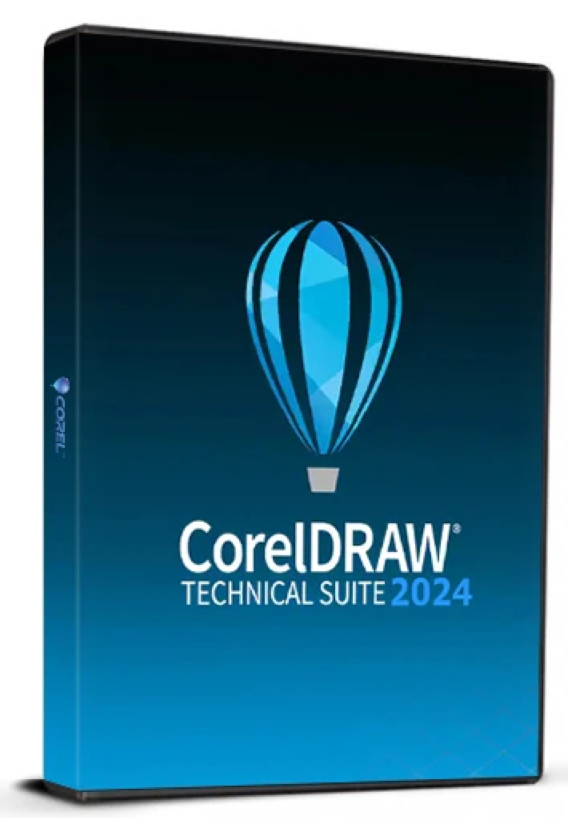
149.00 € Original price was: 149.00 €.79.00 €Current price is: 79.00 €.
Digitally delivered by email within a few minutes after payment confirmation. These are ESD digital licenses — all product keys are original and have no expiration date. They can be reinstalled on the same activated device at any time.
By purchasing this product, you will receive the digital software download from our servers along with the product key needed for software activation, as well as detailed installation instructions.
License previously used and relinquished by the former owner in compliance with CJEU ruling C-128/2011 :
100% authentic digital products with official vendor warranties, ensuring genuine licenses.
Enjoy peace of mind with a 30-day return policy on all digital products. Full refunds or exchanges for any issues.
Your payments are fully secure with our encrypted transaction network. Shop with confidence.
CorelDRAW Technical Suite 2024 is a specialized software suite that includes tools for creating technical illustrations, diagrams, layouts, and documentation. It is designed for technical writers, engineers, architects, designers, and other professionals who require accurate and detailed visual representations. The suite combines the creative flexibility of CorelDRAW with the precise illustration tools of Corel DESIGNER to provide a comprehensive solution for all aspects of technical illustration.
CorelDRAW Technical Suite 2024 includes a variety of applications, including Corel DESIGNER for precise technical illustrations, CorelDRAW for vector illustrations and layouts, Corel PHOTO-PAINT for image editing, and many other specialized tools. These applications interact seamlessly to create an efficient and productive work environment.
Key features of CorelDRAW Technical Suite 2024
The CorelDRAW 2024 Technical Suite offers a wide range of features specifically designed to meet the needs of technical illustrators and designers. Here are some of the key features:
Accurate technical illustrations: Corel DESIGNER offers specialized tools for creating accurate 2D and 3D illustrations, necessary for technical documentation, exploded views, assembly instructions and much more.
Vector illustration and layout: CorelDRAW lets you create vector illustrations and layouts with a variety of drawing tools, color management options, and effects. These tools are ideal for creating diagrams, flowcharts, and other visual representations.
Advanced 3D Visualization: The suite supports the integration of 3D CAD data, allowing users to import, modify, and convert 3D models into technical illustrations. This is particularly useful for creating exploded views and assembly diagrams.
Professional image editing: Corel PHOTO-PAINT offers powerful image editing tools that let you retouch, enhance, and adjust photos and graphics. Ideal for creating photorealistic illustrations and presentations.
Automation and macros: CorelDRAW Technical Suite 2024 supports the creation and use of macros to automate tasks, which can greatly increase efficiency and productivity.
Support for technical standards: The software supports a variety of technical standards and file formats, including DWG, DXF, CGM, SVG, EPS and PDF, facilitating collaboration and file sharing with other professionals.
Document management and output: CorelDRAW Technical Suite 2024 allows users to save and produce their work in various formats, including print, web, and interactive documents. This enables the flexible publishing and distribution of technical content.
Multi-monitor setup support: The suite offers full support for multi-screen setups, allowing users to make the most of their workspace to work on multiple documents and projects simultaneously.
Collaboration and commenting features: The CorelDRAW 2024 technical suite enables collaboration with other team members through built-in commenting features that facilitate efficient content review and approval.
Advanced print preparation: The suite provides specialized tools for print preparation, including color separation, color management, and support for various printing technologies, to ensure that technical illustrations are printed with the highest quality.
Advantages of CorelDRAW Technical Suite 2024
The CorelDRAW 2024 Technical Suite offers numerous advantages that make it an indispensable solution for technical professionals. Here are some of the key benefits:
Complete toolkit: The suite offers a full range of tools for creating and editing illustrations and technical documentation, allowing users to find all the necessary features in a single software solution.
2D and 3D integration: Thanks to its ability to process both 2D and 3D data, the suite offers maximum flexibility in creating technical illustrations. This allows users to efficiently create complex representations.
Ease of use: Despite its wide range of features, CorelDRAW Technical Suite 2024 is intuitive and easily accessible, even for those with no experience in technical illustration. The suite offers numerous tutorials and support options to help you get started.
Time-saving automation: Support for macros and automation tools allows users to focus on creative activities by automating repetitive tasks. This significantly increases efficiency.
High compatibility: Support for a wide range of file formats and standards ensures that the suite can be integrated into almost all existing technical environments without causing compatibility issues.
Production flexibility: The CorelDRAW 2024 Technical Suite lets you produce documents in a variety of formats and for a variety of media, including print, web, and interactive documents. This ensures your technical content is presented optimally on every medium.
Professional quality: The suite provides all the necessary tools to create professional and accurate illustrations and technical documentation. This is essential for professionals who need to maintain the highest quality standards.
System requirements for CorelDRAW Technical Suite 2024
To ensure optimal performance of CorelDRAW Technical Suite 2024 on your computer, certain system requirements must be met. These requirements are relatively high because the software offers numerous powerful tools and features.
This is an educational version license.
Minimum requirements:
Operating system: Windows 10 or Windows 11 (64-bit) with the latest updates
Processor: Intel Core i3/5/7/9 or AMD Ryzen 3/5/7/9
Memory (RAM): At least 8 GB of RAM
Hard drive space: at least 10 GB of free space for installation
Graphics card: DirectX 11 compatible graphics card with at least 1 GB of VRAM
Screen resolution: 1280 x 720 pixels at 100% (96 dpi)
Internet connection: An internet connection is required to install, register and update the software.

Reviews
There are no reviews yet.