
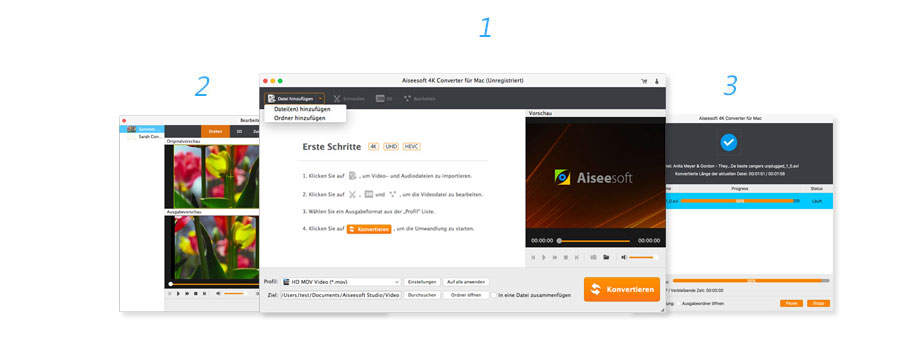
Aiseesoft 4K Converter is the best 4K conversion software that allows you to convert 4K videos to HD and SD 1080p, 720p video or convert 4K videos from one format to other popular 4K video formats.
You can quickly and securely convert your videos between different formats, including 4K, 1080p, 720 HD and SD, to play them on multiple devices.
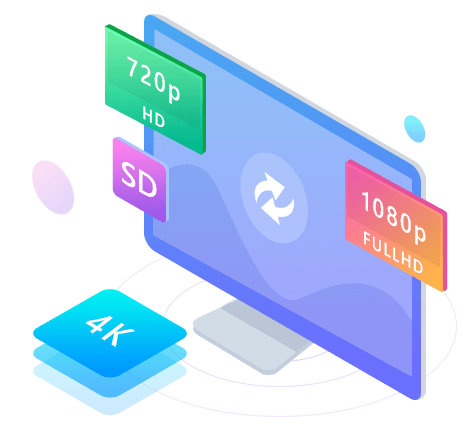
Convert 4K videos from HD or SD 1080p, 720p videos to multiple devices, including HD TVs, Mac, PC, iPhone, iPad, Android phone, tablets and PSP to enjoy.
Convert 4K movies or video clips from one format to another safely and quickly. The 4K converter supports 4K formats such as MP4, MKV, FLV, AVI, TS, and WebM.

This converter offers 30x faster speed and 100% secure conversion, making your conversion process enjoyable. Enjoy your converted videos on compatible devices.
Currently, most playback devices such as TVs, mobile phones, and tablets support 1080p HD video. If you’ve downloaded 4K movies and want to play them on your TV in 1080p, what should you do? Aiseesoft 4K Converter is the best video converter for this. It can convert 4K videos to 1080p, 720p HD, or SD. You can then enjoy these converted videos on various devices like HD TVs, mobile phones, and tablets. You can also upscale HD/SD videos to 4K.
Using the latest 4K encoding and decoding technology, Aiseesoft 4K Video Converter lets you convert 4K video to other formats supported by 4K televisions. It allows you to change the format of your 4K video to suit your needs. Output formats are varied, including 4K MP4, 4K MKV, 4K AVI, 4K FLV, 4K TS, 4K WebM, and more.
Have you captured those wonderful moments of your daily life with a 4K camcorder? Do you want to create your own 4K video? Aiseesoft 4K Converter can help you do just that. Like other 4K converters, this one lets you edit 4K videos using its excellent built-in video editor. You can edit your 4K videos with features such as trimming, rotating, adjusting video effects like brightness and contrast, converting 2D video to 3D, merging video clips, and adding watermarks.
It’s generally known that 4K video files are larger than HD videos. You can imagine that converting a 4K video to 1080p, 720p HD, or SD would take a long time. However, Aiseesoft’s 4K Converter offers a conversion speed 30x faster. You can also convert multiple 4K videos at once. In short, Aiseesoft 4K Converter is a highly efficient video conversion software.




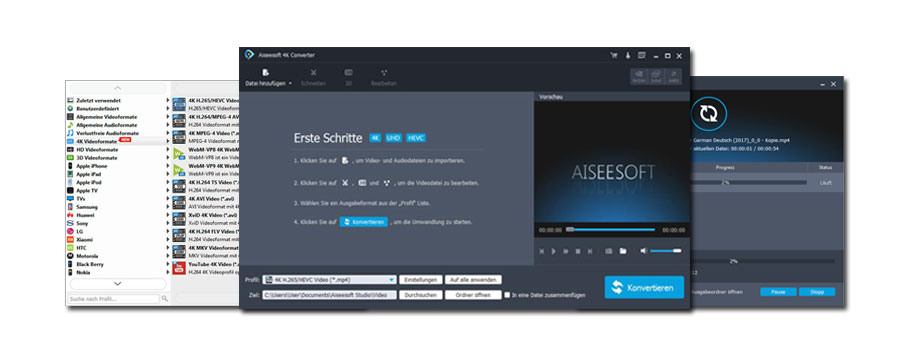
Best 4K converter to convert 4K to HD and SD 1080p on Mac
With this Mac 4K converter, you can convert 4K videos to 1080p/720p for more portable devices and continue playing them. You can also convert 4K videos to other 4K formats, including 4K MP4, 4K AVI, 4K MKV, and more.

You can easily convert 4K to 1080p/720p for Mac so you can play videos on a wider range of devices, including Mac, HD TV, iPhone, iPad, Android phone, etc.

This 4K converter supports 6 types of 4K formats: 4K MP4, 4K TS, 4K AVI, 4K FLV, 4K MKV, and 4K WebM. You can convert your 4K videos to other desired formats.

Thanks to the built-in editing functions, you can adjust the brightness, contrast, saturation, hue of the 4K video, cut and merge the video, etc.

Aiseesoft 4K Converter for Mac allows you to edit and convert your 4K videos with powerful 3D features for a better viewing experience.
This Mac 4K converter allows you to easily change video resolution. With this professional 4K converter, you can downscale 4K videos to 1080p, 720p, or even lower resolutions so you can play 4K videos on a wider range of devices such as HDTVs, iPads, iPhones, Macs, and other smartphones.
4K Converter for Mac supports the latest 4K encoding/decoding technology, allowing you to convert 4K videos to all other popular formats supported by your 4K TV. If you’ve recorded a video with a 4K camcorder and want to upload it to YouTube, you can easily convert it to a YouTube-compatible format using this converter.
Currently, 4K video sources are still limited. However, it is still possible to create videos with 4K resolution. With Aiseesoft 4K Converter for Mac, you can easily upscale video resolution from low resolution to 4K and continue enjoying 4K image quality on a 4K TV or monitor.
As a professional 4K Mac converter, this software supports several basic editing functions that allow you to optimize the effects of your 4K videos on Mac. For example, you can adjust the brightness, contrast, and hue of the video, add watermarks, convert 2D to 3D, flip and trim the video, and more.
Reviews
There are no reviews yet.