
89.99 € Original price was: 89.99 €.19.99 €Current price is: 19.99 €.
Digitally delivered by email within a few minutes after payment confirmation. These are ESD digital licenses — all product keys are original and have no expiration date. They can be reinstalled on the same activated device at any time.
By purchasing this product, you will receive the digital software download from our servers along with the product key needed for software activation, as well as detailed installation instructions.
License previously used and relinquished by the former owner in compliance with CJEU ruling C-128/2011 :
100% authentic digital products with official vendor warranties, ensuring genuine licenses.
Enjoy peace of mind with a 30-day return policy on all digital products. Full refunds or exchanges for any issues.
Your payments are fully secure with our encrypted transaction network. Shop with confidence.
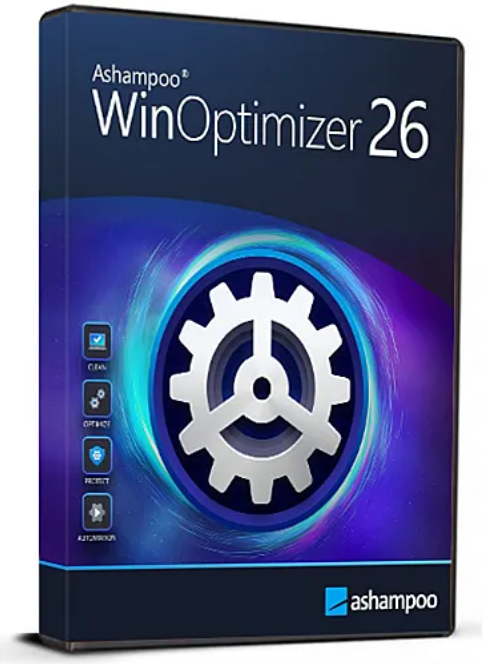
Speed up, optimize, and clean your PC with great ease!
Windows is great–but there’s always room for improvement. That’s where Ashampoo WinOptimizer 26 comes in! Because, over time, operating systems tend to slow down, become unstable and clutter up. Important settings are also either missing or hidden deep within the system. And then there’s the constant privacy intrusion built into Windows and euphemistically dubbed “telemetry”. WinOptimizer 26 puts a stop to this, fast, easy and effectively! It whips your PC back into shape and makes it feel like new again. Let WinOptimizer clean, optimize and protect your machine and enjoy a fast, lean and secure Windows PC with intact privacy, permanently!
Find and delete sensitive data with Privacy Traces Cleaner
Individually tailored Windows optimization with Tuning Assistant
One-click optimization with four powerful cleaners
System analysis with more in-depth information and visual clarity
Super-fast cleaners with new search algorithms
Windows Notification Center based program notifications
Drive Cleaner with custom file filters
Improved browser handling in Internet Cleaner
Cleaners with support for browser profiles
Uninstall Windows apps with UnInstall Manager 2
UnInstall Manager 2 with new look & feel
Process manager with tree view
Review SVHOST-based processes
Create and print modern-looking reports
SSD wizard with new handling and more details
Next-level cleaning
Advanced deep cleaning: Hunt down data clutter, enhance privacy, and resolve display issues!
With the new and extended in-depth cleaning, the hunt for junk files enters a new phase–and privacy and display issues are also easily fixable now! Get rid of old Windows versions, Windows update backups, and Windows usage statistics. Fix display issues in your games by emptying the DirectX shader cache, and speed up your slow Windows Explorer by clearing the preview cache. You’ll also regain loads of hard disk space in the process.
Best-in-class multi-browser cookie management
Enhance Your privacy with Innovative cross-browser cookie management: Take control of your online privacy
Despite their usefulness and added comfort, internet cookies have become something of a privacy nightmare recently. The innovative cookie manager will help you safely manage your cookies across all of your browsers! Separate the wheat from the chaff and preserve login sessions while eliminating cookies that invade your privacy. Use wildcard characters to instantly mark entire domains as safe–your settings will apply to all of your browsers and can be exported and imported for easy transfer across devices.
First-rate but second-row features
Over 30 Top-notch modules for every purpose – Beyond cleaners and optimization
Aside from cleaners and optimizers, WinOptimizer also offers modules that other companies would rather sell you as separate applications. This includes Process Manager for a better look at what is running on your PC, and Privacy Manager for better privacy protection. These are joined by Icon Saver, to bring more order to your desktop, and File Wiper, to permanently erase sensitive data. In total, WinOptimizer features over thirty cutting-edge tools that cover the whole spectrum of system cleaning, tuning, and optimization!
Next-gen privacy protection with Privacy Traces Cleaner
Find and delete sensitive data
Whether you use Windows apps, games, or office suites, all applications leave behind traces that may compromise your privacy (and security). Privacy Traces Cleaner features specially designed search algorithms that scan files, folders, and the Windows Registry for such traces and eliminate them–after your review and confirmation, of course! There’s a built-in Registry backup feature for added safety, whitelisting for individual exceptions, and multi-user support so you can clean all user profiles in one go.
See what’s happening on your machine
Essential information neatly arranged right off the bat
The newly designed system analysis tells you everything you need to know at a glance. Aside from the CPU load speedometer, you now also get a first-hand look at disk usage and privacy-related information, courtesy of our new Privacy Traces Cleaner! Increase the size of the program window for even more valuable system details, like number of irrelevant files, services, and Registry entries, or the amount of potentially reclaimable disk space. The system analysis will tell you what you need to know!
More tuning through dialog
Effortlessly optimize your windows with the Tuning Assistant – Unleash maximum performance and privacy!
Windows auto-optimization has been an integral part of WinOptimizer for the longest time. Time to take care of the rest! The Tuning Assistant will ask you a few simple questions with far-reaching consequences. Each response will bring you closer to a faster, more discreet, and more secure Windows machine–all while having a casual conversation with our software. Disable unnecessary background services, optimize security settings, and customize Windows for better performance and privacy, risk-free!
Windows Notification Center integration
Native notifications with essential details even when the program is minimized
Ashampoo WinOptimizer makes full use of the system-wide Windows Notification Center to provide you with valuable updates. You will be notified when time-consuming analyses are complete, even when the program is minimized. Let One Click Optimizer, File Wiper, Disk Doctor and others do their jobs in the background while you’re doing something else. You’ll be notified as soon as they’re done, no more need to watch the progress bars. Naturally, time and frequency of the notifications is fully customizable.
New cleaners with more power and efficiency
Four-way cleaning of unnecessary files
Our popular cleaners now include Privacy Traces Cleaner for four-way cleaning action! Junk files, web browsing traces, invalid Registry items, and now even privacy-sensitive data are on the chopping block! Whether Drive Cleaner or Internet Cleaner, results appear almost instantaneously and detection rates are off the charts, while custom file filters help you to adjust and extend the range of supported file types. Naturally, our cleaners are meticulously tailored to all modern Windows versions and browsers.
New features in manager modules
Cleaner uninstalls and more information when it matters!
UnInstall Manager 2 now also processes, and uninstalls, Windows apps. A new look & feel, smart filters, and additional helpers make removing applications even easier and safer. Process Manager features a new and optional tree structure view for better clarity and also displays SVHOST-based processes. SSD Wizard provides additional info that helps to prolong the lifespan of your drives and to enhance their performance. Finally, reports across the modules now feature a modern design that greatly enhances their utility!



Reviews
There are no reviews yet.