
89.99 € Original price was: 89.99 €.49.00 €Current price is: 49.00 €.
Digitally delivered by email within a few minutes after payment confirmation. These are ESD digital licenses — all product keys are original and have no expiration date. They can be reinstalled on the same activated device at any time.
By purchasing this product, you will receive the digital software download from our servers along with the product key needed for software activation, as well as detailed installation instructions.
License previously used and relinquished by the former owner in compliance with CJEU ruling C-128/2011 :
100% authentic digital products with official vendor warranties, ensuring genuine licenses.
Enjoy peace of mind with a 30-day return policy on all digital products. Full refunds or exchanges for any issues.
Your payments are fully secure with our encrypted transaction network. Shop with confidence.
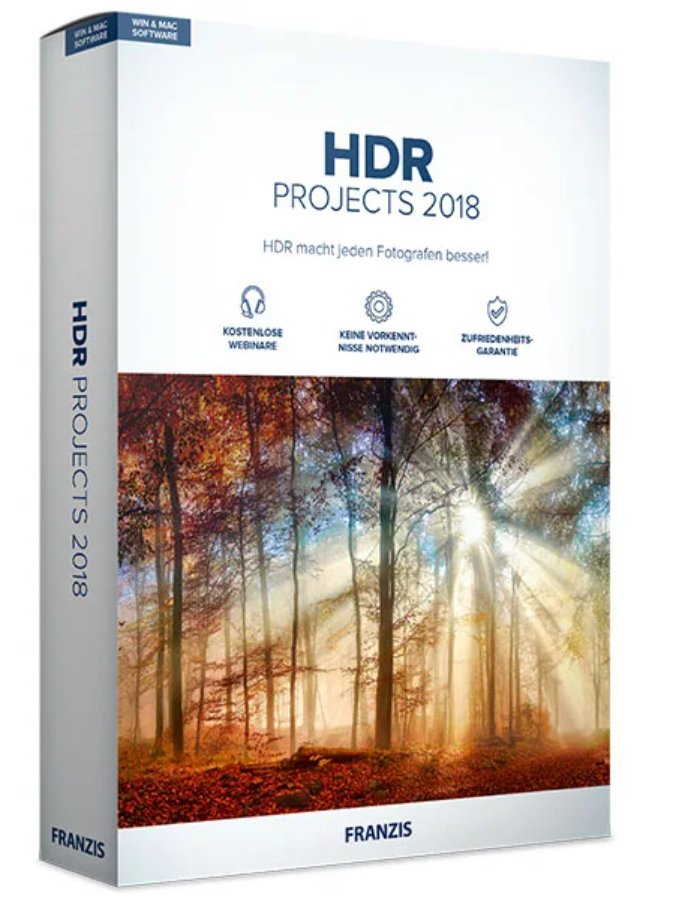
Franzis HDR projects 2018 for Mac
Unlock the full potential of your photos, now even more easily and personally!
HDR has always been the key to truly special photos, but now you can achieve your personal favorites even more easily. New built-in picture styles find the perfect look for every photo. With the print function, you get an instant, verifiable result. Optimizing your photos has never been easier!
HDR is better than any camera sensor!
You photograph a scene and are surprised that the image on the screen is different, a little boring? HDR technology helps you get out of this predicament!
Take several photos with different exposures, you don’t need a tripod!
Or, even simpler, use just one photo. Upload your images to HDR projects and let the program stitch them together. HDR projects does all the work for you! Then choose your favorite from over 100 image suggestions or further refine your image to your personal taste.
There’s nothing easier than getting perfectly exposed photos!
Creative image suggestions
After uploading your images or exposure series, HDR Projects 2018 offers you over 100 different versions of your image. This represents more than 100 image ideas and inspiration in the categories: Natural – Landscape – Architecture – Artistic – Surreal and many more.
Composing: a strong point with brand new features
The composition function, one of the strengths of the HDR-projects family, has been further enhanced in the 2018 version. You now have the option to add editable textures to parts of the image.
This results in even more spectacular image impressions and even more creative possibilities in image manipulation.
NEW! Image Styles: Add more personality to your image selection
Everyone has their own style, preferences, and ideas about what an image should ultimately look like. The new image styles in HDR Projects 2018 Professional help you express your preferences.
You choose the look that suits you from 5 photo styles or moods and HDR projects 2018 professional then applies them to all 155 presets.
Your advantage: all the example images (presets) are tailored to your personal preferences, you will see many more looks that match your ideas.
NEW! Prevent colored dots from appearing during creation
With HDR projects 2018 professional , you have 10 years of HDR expertise at your fingertips and benefit from technological advancements. For example, even subtle color blemishes, noticeable only to trained eyes, are now a thing of the past.
The newly developed algorithms make it possible to automatically correct the colors present in the image.
| Features | ||
| HDR Projects 2018 for Mac
BUY |
HDR Projects 2018 Professional for Mac
DISCOVER |
|
| 4K support for the program interface | ✓ | ✓ |
| Maximum number of images in exposure series: 100 | ✓ | ✓ |
| NEW: Integrated printing function | ✓ | ✓ |
| NEW: 1:1 comparison window with magnifying glass function | ✓ | ✓ |
| Addon System | ✓ | ✓ |
| Automatic ghost image correction | ✓ | ✓ |
| Ultra-HDR Technology | ✓ | ✓ |
| Number of post-processing filters: 121 | ✓ | ✓ |
| Number of pre-selections: 5 x 155 | ✓ | ✓ |
| Sensitive selective drawing tool | ✓ | ✓ |
| NEW: Textures & Materials | ✓ | ✓ |
| Correction of scratches/direction defects | ✓ | ✓ |
| Batch processing | – | ✓ |
| Lightroom plug-in | – | ✓ |
| Photoshop plug-in | – | ✓ |
| BUY | DISCOVER |
| Version | 2018 |
| Operating system | Mac OS X 10.7 Lion, Mac OS X 10.8 Mountain Lion, Mac OS X 10.9 Mavericks, Mac OS |



Reviews
There are no reviews yet.