
139.00 € Original price was: 139.00 €.39.00 €Current price is: 39.00 €.
Digitally delivered by email within a few minutes after payment confirmation. These are ESD digital licenses — all product keys are original and have no expiration date. They can be reinstalled on the same activated device at any time.
By purchasing this product, you will receive the digital software download from our servers along with the product key needed for software activation, as well as detailed installation instructions.
License previously used and relinquished by the former owner in compliance with CJEU ruling C-128/2011 :
100% authentic digital products with official vendor warranties, ensuring genuine licenses.
Enjoy peace of mind with a 30-day return policy on all digital products. Full refunds or exchanges for any issues.
Your payments are fully secure with our encrypted transaction network. Shop with confidence.
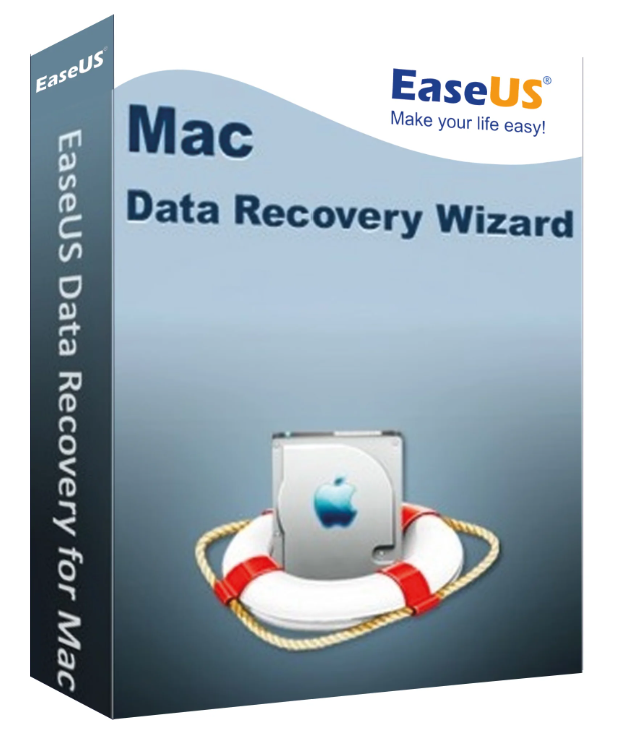
Have you ever lost important files on your Mac and didn’t know how to recover them? Don’t worry, you’re not alone. Whether it’s due to accidental deletion, formatting, or a system crash, data loss can happen to anyone. But fortunately, there’s EaseUS Data Recovery Wizard for Mac , which was specifically designed to efficiently resolve such data loss issues. Keep reading to learn how to easily recover lost data with EaseUS Data Recovery Wizard for Mac .
EaseUS Data Recovery Wizard for Mac is a safe and professional Mac data recovery software that recovers your data on Mac-based devices in just three steps:
It’s frustrating to lose data, whether due to accidental deletion, formatting, or a system error. But with this powerful software, you can recover deleted files on your Mac even without a Time Machine backup.
Data loss can be caused by various reasons:
No matter how your data disappeared, EaseUS Data Recovery Wizard for Mac offers a solution. It can recover data in various scenarios, from an emptied Recycle Bin to damaged drives.
Losing photos can be frustrating. But don’t worry, with EaseUS Mac data recovery software, you can recover all the missing images from your camera, memory card, hard drive, and USB flash drive.
Recover lost movies, TV shows, camera videos, and other recordings on your Mac. EaseUS Data Recovery Wizard for Mac supports all video file formats.
EaseUS Data Recovery Wizard for Mac can not only restore data, but also extract data from a Time Machine backup or an iTunes backup.
EaseUS Data Recovery Wizard for Mac offers several advanced features:
| Category | Requirements |
|---|---|
| Operating system | macOS 14.0 (Sonoma), macOS 12.3 (Monterey), macOS 12.0 (Monterey), macOS 11.0 (Big Sur), macOS 10.15 (Catalina), 10.14 (Mojave), macOS 10.13 (High Sierra), macOS 10.12 (Sierra), Mac OS Capitan), 10.10 (Yosemite), 10.9 (Mavericks) |
| CPU | At least 1 GHz |
| Hard drive space | At least 32 MB |
| Supported language | English, Deutsch, Español, Français, Italiano, Português, Nederlands, 日本語, 中文 (繁體), 中文 (简体) |
| Cause | Description |
|---|---|
| Accidental deletion | Accidentally deleted your files. Click “Move to Recycle Bin,” then press “Command + Delete” to delete them. Emptying the Recycle Bin without saving is also possible. |
| Format | Accidental formatting of your hard drive/computer partition or SD card/memory card, “The media/drive is not formatted, do you want to format it now?”, formatting due to a virus infection or computer initialization |
| Other situations | Unexpected shutdown, software crash, storage device failure during the writing process, improperly ejected SD card, file loss due to device initialization, virus attack, memory/SD card “access denied”, media card error, data loss due to system crash, Mac OS X reinstallation or update |
| Device type |
|---|
| Mac PC/Laptop/Mini |
| Memory card/USB flash drive |
| USB flash drive |
| External hard drive/SSD |
| iPod, MP3/MP4 music player |
| SD card |
| CF/XD/MMC Card |
| Digital camera |
| Other storage media |
| File type | Supported formats |
|---|---|
| Picture | JPG/JPEG, TIFF/TIF, PNG, BMP, GIF, PSD, CRW, CR2, NEF, ORF, RAF, SR2, MRW, DCR, WMF, DNG, ERF, RAW, SWF, SVG, DWG, NRW, ARW, RW2, KDC, 3FR, MEF, PEF, SRW, X3F, DXF, FH11 etc. |
| Music | AIF/AIFF, M4A, MP3, WAV, WMA, APE, MID/MIDI, OGG, AAC, RealAudio, VQF, etc. |
| Video | AVI, MOV, MP4, M4V, 3GP, 3G2, WMV, ASF, FLV, SWF, MPG(MPEG), RM(RMVB), MKV, MXF, etc. |
| Document | DOC/DOCX, XLS/XLSX, PPT(PPT/PPTX), PDF, CWK, HTML(HTM), INDD, EPS, PAGES, KEY, NUMBERS, VSD, ODT, ODP, ODS, ODG, ODF, RTF, PLIST, TAX, MAT, etc. |
| Others | Like emails, archives, exe, SIT/SITX, FCPEVENT, dmg. |
| File system |
|---|
| APFS |
| HFS+ |
| HFS X |
| FAT (FAT16, FAT32) |
| exFAT |
| NTFS |



Reviews
There are no reviews yet.