
With CyberLink’s multimedia solutions, you can create top-quality photos and videos. Whether it’s detailed image processing with PhotoDirector or efficient video editing with PowerDirector, the intuitive and powerful tools let you quickly transform your ideas into impressive results. Get excited about creative photos and professional videos.
Create stunning videos with CyberLink PowerDirector. With a wide range of effects, transitions, and templates, your films instantly have a professional look. Whether it’s social media clips or creative projects, the intuitive interface lets you quickly bring your ideas to life. Get the most out of your recordings and use PowerDirector as the perfect tool for creative video productions.
Transform your photos into stunning works of art with CyberLink PhotoDirector. This software combines powerful image processing with ease of use. Use automatic skin retouching, creative filters, and AI effects to enhance your photos in just a few clicks. Whether you’re a beginner or an experienced photographer, PhotoDirector provides all the tools you need for perfect results and demonstrates how simple professional photo editing can be.
Use text and graphics that follow your objects almost perfectly thanks to precise motion tracking and that integrate seamlessly into your clips.
Remove backgrounds from videos and images or isolate patterns without a green screen – ideal for new creative projects.
Automatically detect multiple faces in the video, selectively pixelate or blur them and adjust them.
Applies impressive visual effects to people or objects in motion.
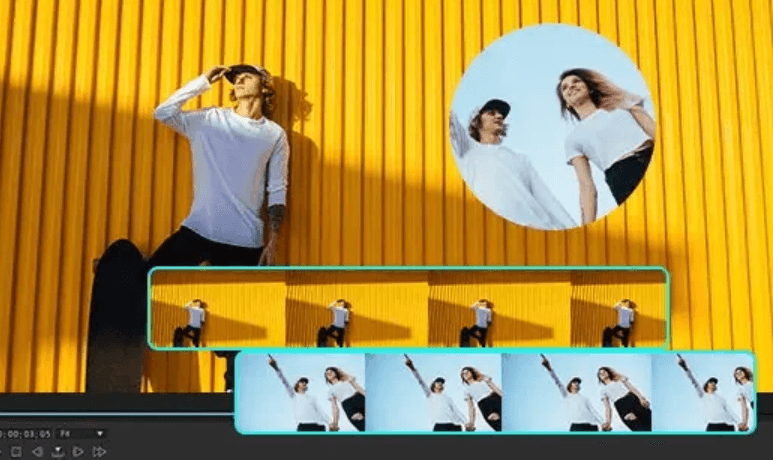
With fully customizable templates, easily create split-screen video collages with effects such as animated intros and outros.
Create movie-worthy green screen effects with the enhanced Chroma Key engine and Multi Key color sampling.
Create custom masks with an intuitive designer to highlight or overlay titles, images, graphics, or videos.
Choose from 9 blending modes to layer videos with impressive blending effects.
With advanced keyframing, effects, animations, and masks can be precisely adjusted according to your creative wishes.
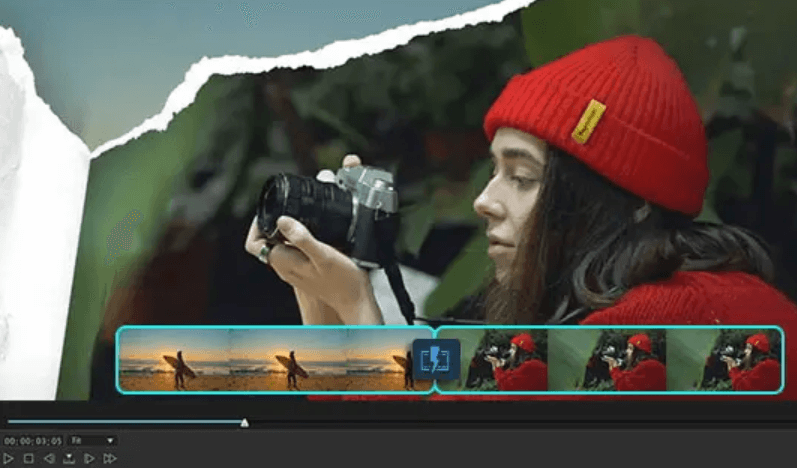 Connect your clips creatively with a multitude of transition effects and designs.
 Add fade patches, light leaks, film grain, or other dynamic overlays to your videos.
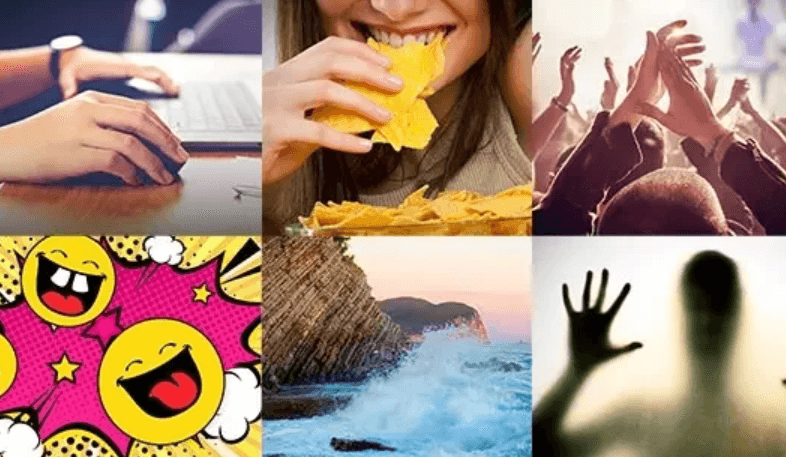 The appropriate soundtrack, composed of music and effects, adds a unique touch to your video.
| Stabilize the video | It corrects shaky images immediately. |
| Change the video speed | Speed up or slow down clips directly. |
| Color matching | Match the tones of different cameras. |
| Partial tint | To enhance or reduce colors in a targeted way. |
| HDR effect | Highlight high contrasts and intense colors. |
| Lens correction | Remove keystone, fisheye and vignetting defects. |
| Pan and zoom effects | To draw attention in a targeted way to captivating areas. |

Apply retouching tools with a single click to achieve a flawless face in no time.
Powerful AI automatically recognizes objects and accurately removes them. Simply mark them and delete with a single click.
Modify or remove backgrounds: change the color, create a blur, or insert clean backgrounds/images or AI-generated ones.
Optimize brightness and contrast, bring out details and make photos clear, rich and vibrant.
Denoise, sharpen and scale in one step – improve old photos or optimize new ones.
Automatically reduce image grain and noise while preserving important details.
Enlarge images up to four times, without loss of quality, while preserving all details.
Making even the finest details visible and correcting blurry photos using the latest AI technology.
Targetfully eliminate haze, fog, or blurry edges using the sliders.
Optimize portraits and selfies with automatic skin smoothing, concealer, plumping, wrinkle removal and jawline enhancement for a natural and flawless look.
Bright eyes, a well-defined eye shape, a natural lip shape and perfectly shaped eyebrows – ideal for portraits, close-ups and selfies.
Adjusting size and proportions in a targeted way: Firming or slimming the chest, waist, legs, arms and hips for a harmonious silhouette.
Precisely optimizes nose shape, pupils, and facial features. Achieve a natural, lifelike look for selfies, portraits, and close-ups.

A grey sky? Replace the sky in your photos – with stock photos, templates or your own images.
Focus on what matters in your photo: depth information is calculated automatically to create perfect sharpness and targeted blur.
Add customizable blur effects to your images with circular, linear, or brush tools.
Optimize, correct or give your images an individual style.
The powerful algorithm optimizes your photos in just one click.
The color splash effect transforms your photo into black and white, while retaining a chosen color and making it stand out.
Replace one color in your image with another to change the color of objects in a targeted way.
Get a uniform look for a whole series of photos with photo filters or LUTs – thanks to the preset filters and LUTs.
Adjust the tones in a targeted way in the highlights, midtones or shadows of your photo.
Quickly and easily eliminates color spots: uses white balance for precise color correction.
Bring your photos to life with movement and effects. Animate photos with simple motion arrows and save them as GIFs or videos.
The dispersion effect gives the impression that the photographic patterns dissolve into small particles or are carried away by the wind.
Transform your videos into creative GIFs and add captions.
Add dancing points of light or directed beams of light and simulate light effects falling into the camera lens.
Creates soft blur effects with customizable light reflections.
Adds colorful and sparkling effects to photos.
RAW support, HDR photos, panoramic photos, multiple exposures, lens correction and powerful photo management with AI-assisted face recognition for professional photography.
| System requirements | |
|---|---|
| Operating system | Microsoft Windows 11 (64-bit only, Windows 11 ARM64 is supported) |
| Processor (CPU) | Intel: Intel Core™ i-series (6th generation) and above. Haswell (4th generation) processor: Core i7-4770 (Core and Xeon brands only) and above required for AI features. AMD: AMD Phenom® II and above. AMD A8-7670K and above, AMD Ryzen™ 3 1200 and above required for AI features. |
| Graphics Processing Unit (GPU) | Standard Video: 128MB VGA VRAM or more; 360° Video: DirectX 11 support; AI Plugin: 2GB VGA VRAM or more; Audio/video noise and spatial echo removal; NVIDIA: NVIDIA GeForce RTX 2060, NVIDIA Quadro RTX 3000, NVIDIA TITAN RTX or more |
| Random Access Memory (RAM) | 8 GB required (16 GB or more recommended) |
| Hard drive space | 7 GB |
| Engraving device | A burner is needed to burn discs |
| Sound card | Windows-compatible sound card required |
| Internet connection | Internet connection and registration required for initial software activation, subscription validation, and access to online services. |
| Screen resolution | 1024 x 768, 16-bit color or higher |

Reviews
There are no reviews yet.