
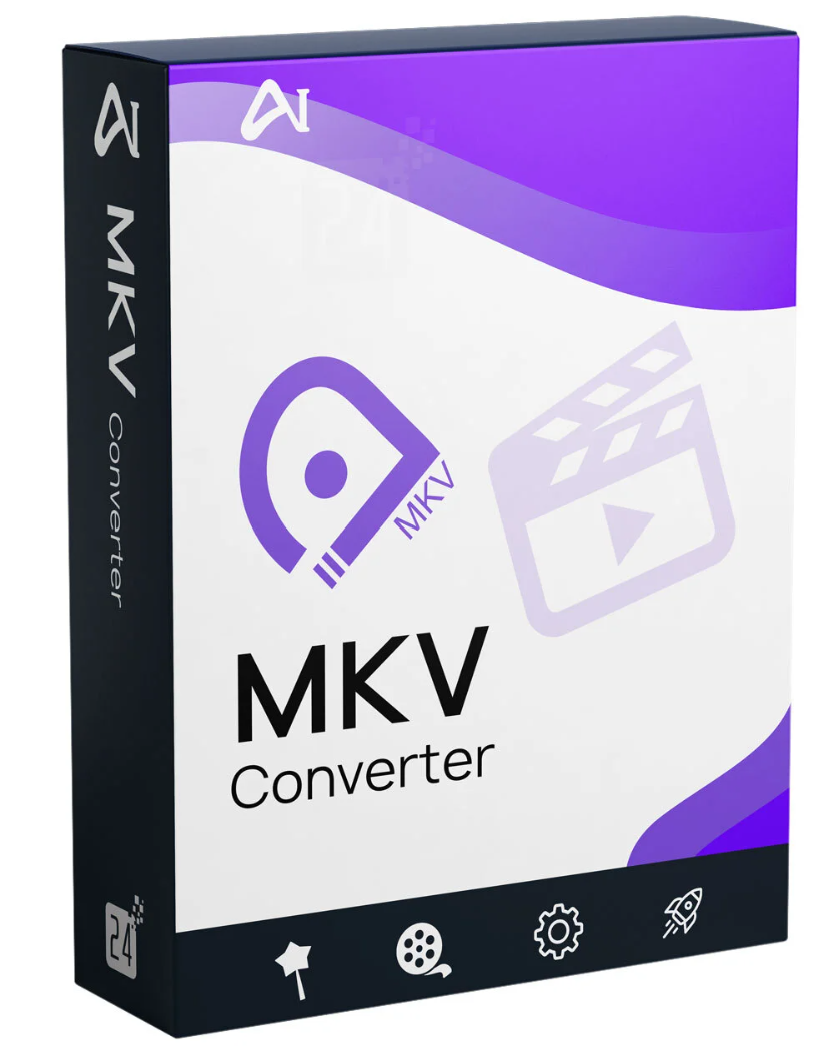
Aiseesoft MKV Converter can help you convert MKV to MP4, AVI, MOV, WMV, MP3, and other commonly used video/audio formats with high quality. Furthermore, this powerful video converter allows you to convert any video to MKV at a high conversion speed.

Do you want to convert MKV to MP4 or other common formats for easy playback? This MKV to MP4 converter is the best choice for you. Furthermore, you can convert MKV to AVI, MOV, WMV, and other formats, depending on your needs. With its help, you can even convert MKV to DVD-VOB format.
Since MKV contains multiple video and audio streams, subtitle information can be included. If you want to add more audio tracks and subtitles to your video, you can try converting it to MKV. This MKV converter can be very useful.
Many portable devices cannot play MKV videos. To enjoy MKV movies on your iOS/Android device, such as the iPhone 11 Pro Max/11 Pro/11/XS/XS Max/XR/X/8 Plus/8/7 Plus/7/SE/6/5/4, iPad, iPod, Samsung, HTC, Sony, and more, you need to convert MKV to a supported video format.
This MKV converter can be a great help in converting MKV to MP4, AVI, MOV, FLV, and other video formats you need. After conversion, you can enjoy your MKV videos on any portable device and media player.

With this MKV converter, it’s easier than ever to extract audio tracks from videos in MKV, WMV, MP4, and other formats. It offers several audio output formats such as MP3, AAC, AC3, AIFF, M4A, OGG, and lossless audio formats (FLAC, ALAC, WAV, and WMA).
The program isn’t just a simple MKV converter, but also a powerful video editing tool. With the built-in video editor, you can take your video effects to the next level.
MKV Converter is equipped with many frequently used editing functions. For example, you can enhance the video effect by adjusting brightness, contrast, saturation, hue, and audio volume. Furthermore, you can trim each video by setting the start and end times and remove black bars. Add a watermark to your video as text or an image and adjust its position and transparency, or merge multiple videos.
System Requirements for Aiseesoft MKV Converter Windows
Supported Operating Systems: Windows 11, Windows 10, Windows 8.1, Windows 8, Windows 7, Windows Vista, Windows XP (SP2 or higher)
CPU: 1GHz Intel/AMD CPU or higher
RAM : 1GB RAM or more
Supported Input File Formats
Video: MPG, MPEG-1, MPEG-2, MPEG-4, MJPEG, VOB, DAT, MP4, DivX, Xvid, M4V, TS, MTS, M2TS, RM, RMVB, WMV, ASF, MKV, AVI, 3GP, 3G2, F4V, FLV, SWF, MPV, MOD, TOD, QT, MOV, DV, DIF, MJPG, MJPEG, TP, TRP, WebM, OGV, DVR-MS, BIK, OGM, MXF, WTV
Video: HD MTS, TS, M2TS, MPG MPEG, MP4, WMV, QuickTime HD MOV
Audio MP3, MP2, AAC, AC3, WAV, WMA, M4A, RM, RAM, OGG, AU, AIF, AIFF, APE, FLAC, CUE, M4B, AUD, MKA, AIFC, CAF, MPC, QCP
Supported output file formats
Video MPG, MPEG-1, MPEG-2, MPEG-4, H.264, H.264/MPEG-4 AVC, DivX
, WebM
Audio AAC, AC3, ALAC, AIFF, AMR, AU, FLAC, M4A, MKA, MP2, MP3, OGG, WAV, WMA
Supported devices
Apple iPhone 11 Pro Max/11 Pro/11, iPhone XS, iPhone XS Max, iPhone Retina, iPad mini, iPad 4, the new iPad, iPad 2iPod touch 7, iPod touch 6, iPod touch 5, iPod touch 4, iPod touch 3, iPod touch 2, iPod touchApple TV
Android Samsung Galaxy, Google, Motorola, LG, Sony, HTC
Gaming hardware PS4, PS3, PSP, Wii, NDS, Xbox
System Requirements for MKV Converter for Mac
Supported Operating Systems: Mac OS X 10.7 or later (including macOS Big Sur and macOS Monterey)
Processor: 1GHz Intel® processor and Apple M1 chip
RAM: 1GB RAM or more
Supported Input File Formats
Video: MPG, MPEG, MPEG2, VOB, DAT, MP4, M4V, TS, TRP, TP, RM, RMVB, WMV, ASF, MKV, AVI, 3GP, 3G2, FLV, SWF, F4V, MPV, MOD, TOD, QT, MOV, DV, DIF, MJPG, MJPEG, WebM, MXF
HD Video: MTS, TS, M2TS, TRP, TP, MPG, MPEG, MP4, WMV, QuickTime HD MOV
Audio: MP3, MP2, AAC, AC3, WAV, WMA, M4A, RA, RAM, OGG, AU, AIF, AIFF APE, FLAC, CUE
Supported output file formats
Video MPG, MPEG-1, MPEG-2, MPEG-4, H.264, H.264/MPEG-4 AVC, DivX, WebM
HD Video H.264/MPEG-4 AVC, AVI, ASF, MKV, MOV, MPG, TS, WMV, MP4, WebM
Audio AAC, AC3, AIFF, AMR, AU, FLAC, M4A, MKA, MP2, MP3, OGG, WAV, WMA
Supported devices
Apple iPhone 11 Pro Max/11 Pro/11, iPhone XS, iPhone XS Max, iPhone XR, iPhone X, iPhone 8, iPhone 8 Plus, iPhone 7, iPhone 7 Plus, iPhone SE, iPhone 6s, iPhone 6s Plus, iPhone 6, iPhone 6 Plus, iPhone 5s/5c, iPhone 5, iPhone 4S/4, iPhone 3GS, iPhoneiPad Air, iPad mini with Retina display, iPad mini, iPad 4, the new iPad, iPad 2iPod touch 7, iPod touch 6, iPod touch 5, iPod touch 4, iPod touch 3, iPod touch 2, iPod touchApple TV
Android Samsung, Kindle Fire, HTC, Google, Motorola, Acer, ASUS, Sony Ericsson, Toshiba, HP, LG, Dell
Windows Phone Windows Phone 7, Surface
Gaming Hardware PSP, PS3, Wii, NDS, Xbox
Others BlackBerry, Nokia



Reviews
There are no reviews yet.